Handheld Scanners
Unlocking station
Overview
The shopreme Unlocking Station is a central system that manages what type of portable scanner is available for a shopper to unlock and start shopping in a store.
It consists of a tablet with a scanner or text input, where shoppers can scan their loyalty card or membership QR code. Once the user authenticates, they can see if a portable scanner is available (either a handheld scanner or a snap cart), and take a device from the charging station.
Unlocking process
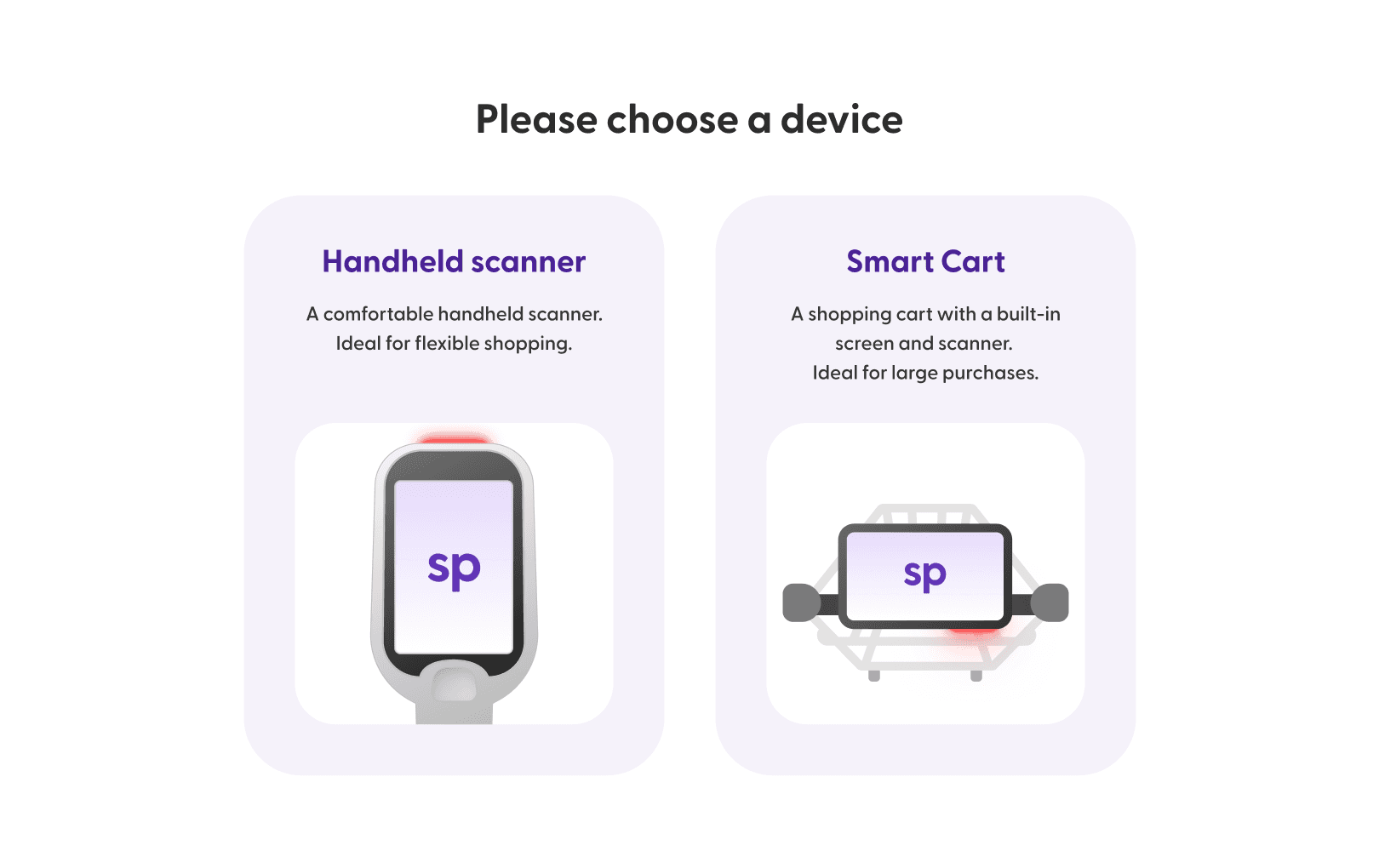
The unlocking process starts at the unlocking station when a shopper selects whether they want to use a handheld scanner or snap cart (depending on availability).
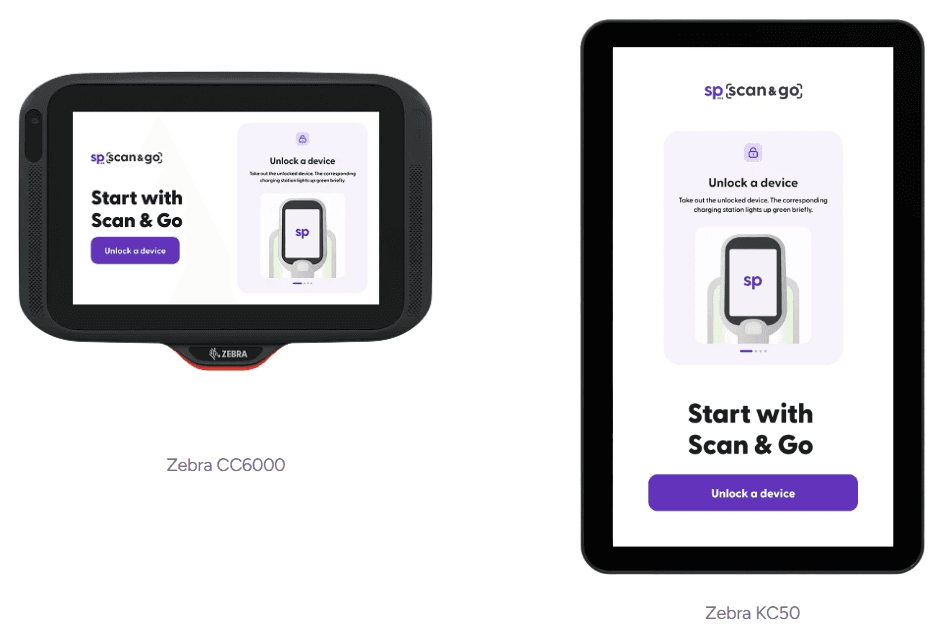
Depending on the type of kiosk, the user interface may vary slightly. shopreme supports the Zebra CC6000 device, which presents the app in a horizontal (landscape) format, and the Zebra KC50, which displays it in a vertical (portrait) orientation.
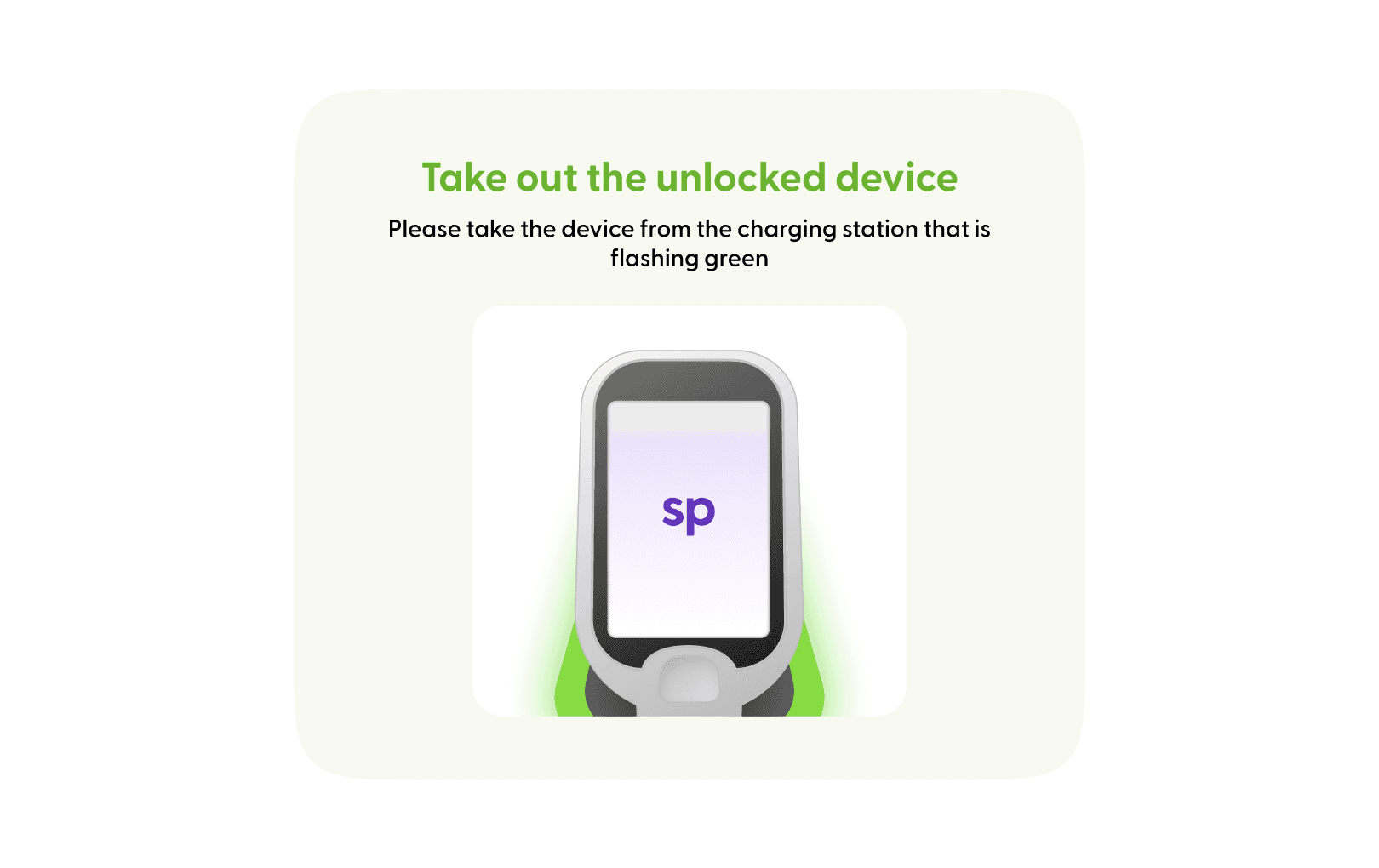
When the shopper selects a device, this choice sends a request to the shopreme backend, which in turn sends a push notification to the device with the highest battery charge from the pool of available devices in the charging cradles. The charging device receives the push notification, unlocks itself from its cradle, and the cradle blinks to signal to the shopper which device they should take.
Shopper chooses which device to unlock:
Shopper is now able to take the unlocked device:

shopreme © 2025