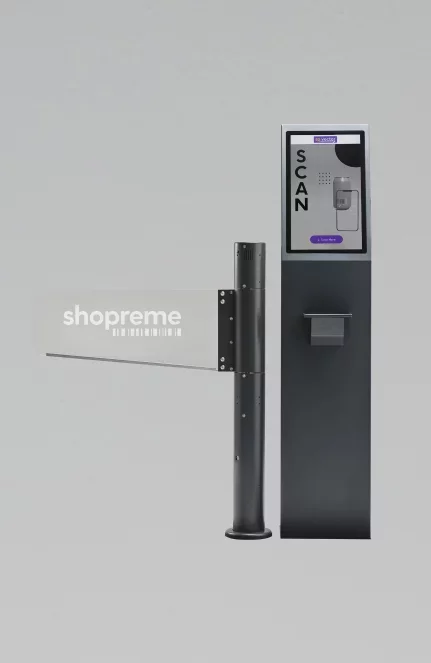
Exit solution: vector
Overview

The shopreme vector is a key component of the shopreme ecosystem by providing an exit point for customers to complete their shopping journey. It simultaneously acts as a checkout point in your store and enables additional payment options using the (optional) built-in PoS payment terminal.
Once a vector has been connected to your shopreme middleware, the customer’s in-app shopping journey will automatically adapt to show a “Checkout at terminal” screen after payment. Customers will see a QR code they can use to check out on this screen. You can connect any commercially available gate to the vector, and the gate will open only if a valid checkout code is scanned.
While a customer is not using it, the vector screen shows a customizable animation that can be used as an in-store marketing tool – for example, to inform customers about the availability of Scan & Go.
Additionally, if a PoS payment terminal is connected to a vector, users can choose “Pay at terminal” as a payment method when using the shopreme SDK. This will show a unique QR code on the user’s phone that can be used to transfer the basket to the vector, where the payment can be completed using a physical-card transaction at the payment terminal.
If you have questions about setting up the Payment Terminal or Exit Terminal functions, please keep reading the articles in this section!