SCO solution: matrix
Installation
Overview
The matrix is generally assembled as follows:
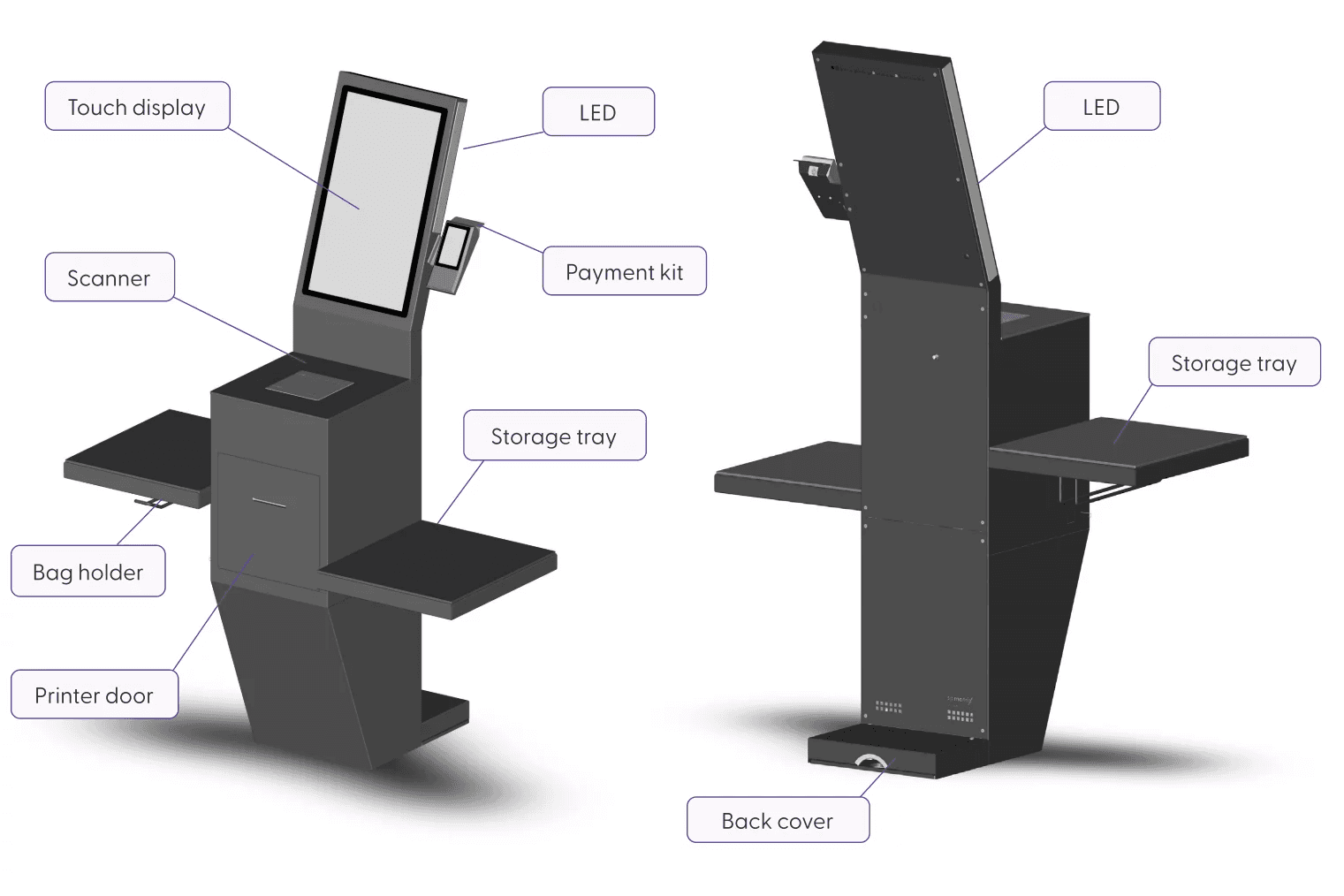
Operations on the matrix should only be conducted by certified professionals or appropriately trained staff. For additional information, please refer to the matrix operating instructions.
Note: The retailer is responsible for arranging the Payment Terminal, as it is not included in the order.
Preparation before installation
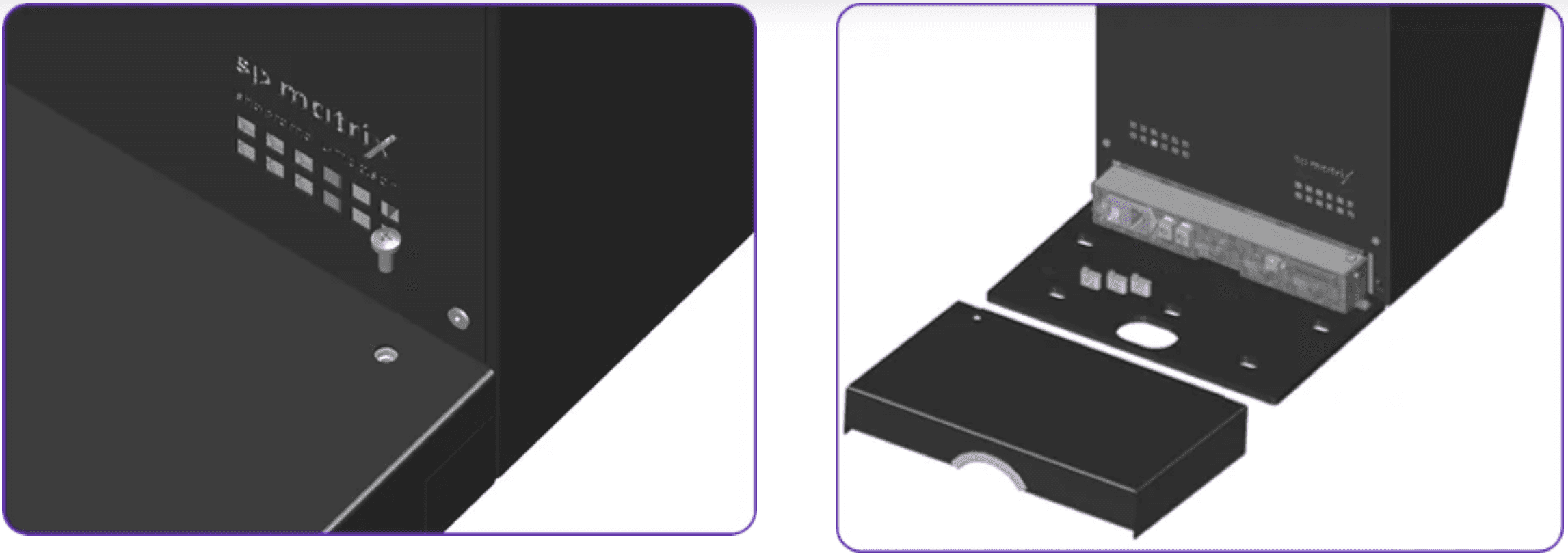
Removing the back cover on the base
Before removing the base cover, make sure to unlock the screw. Then, proceed to remove the magnetic base cover. Please be aware that this may require some force.
Mounting the matrix
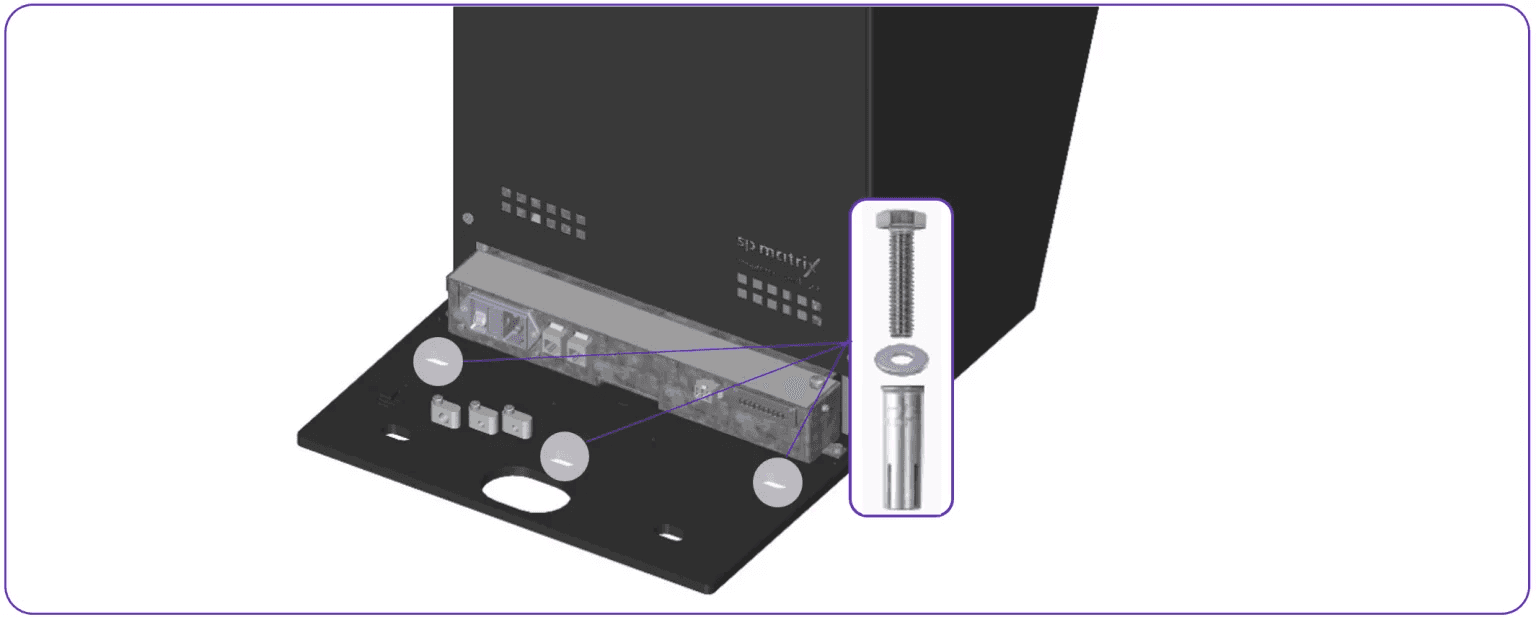
To mount the matrix, it is necessary to anchor it firmly to the ground. This anchoring consists of three fastening points on the base plate, which require the provided flush anchors, screws and washers (M10).
Mounting the storage trays
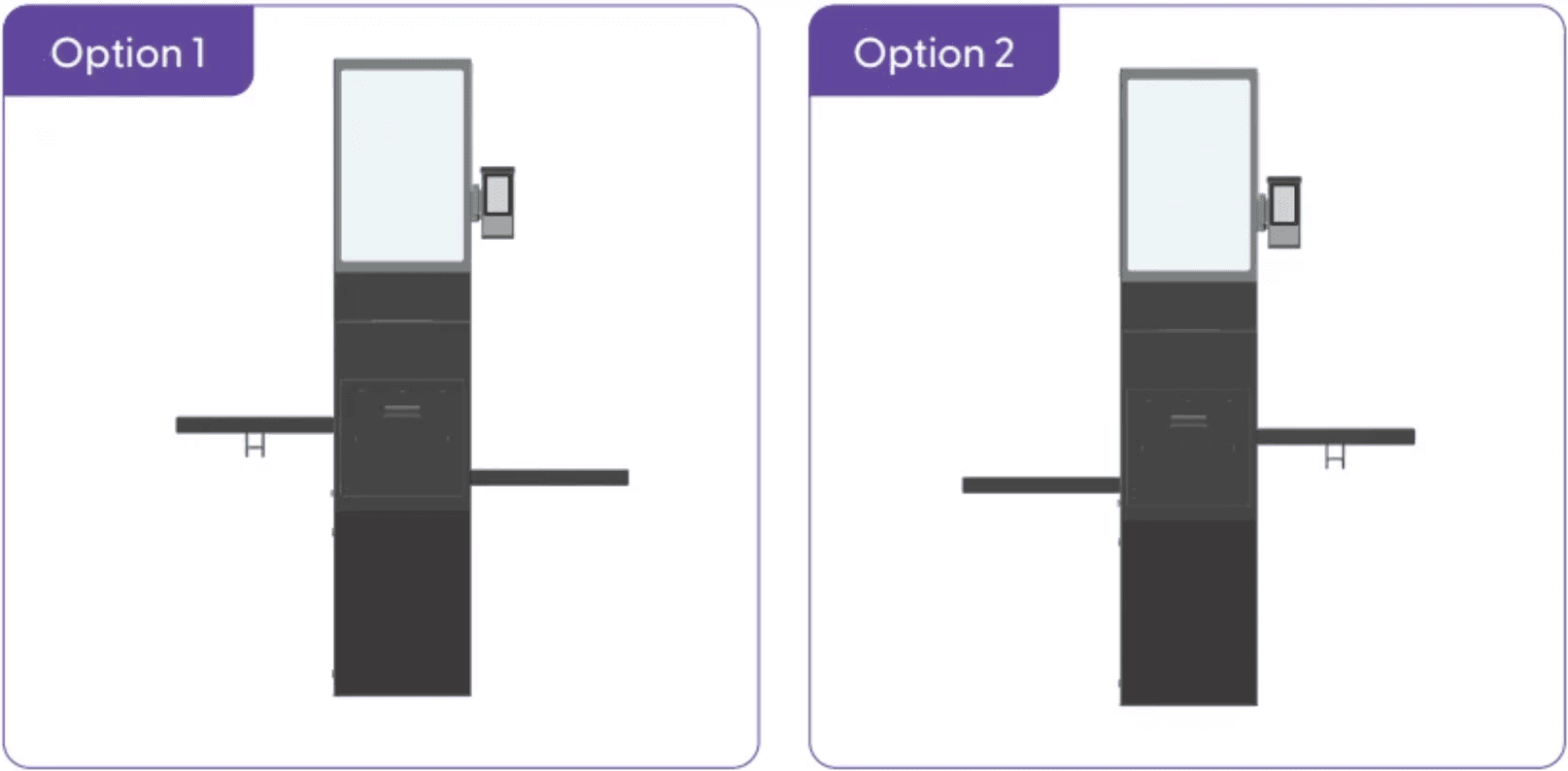
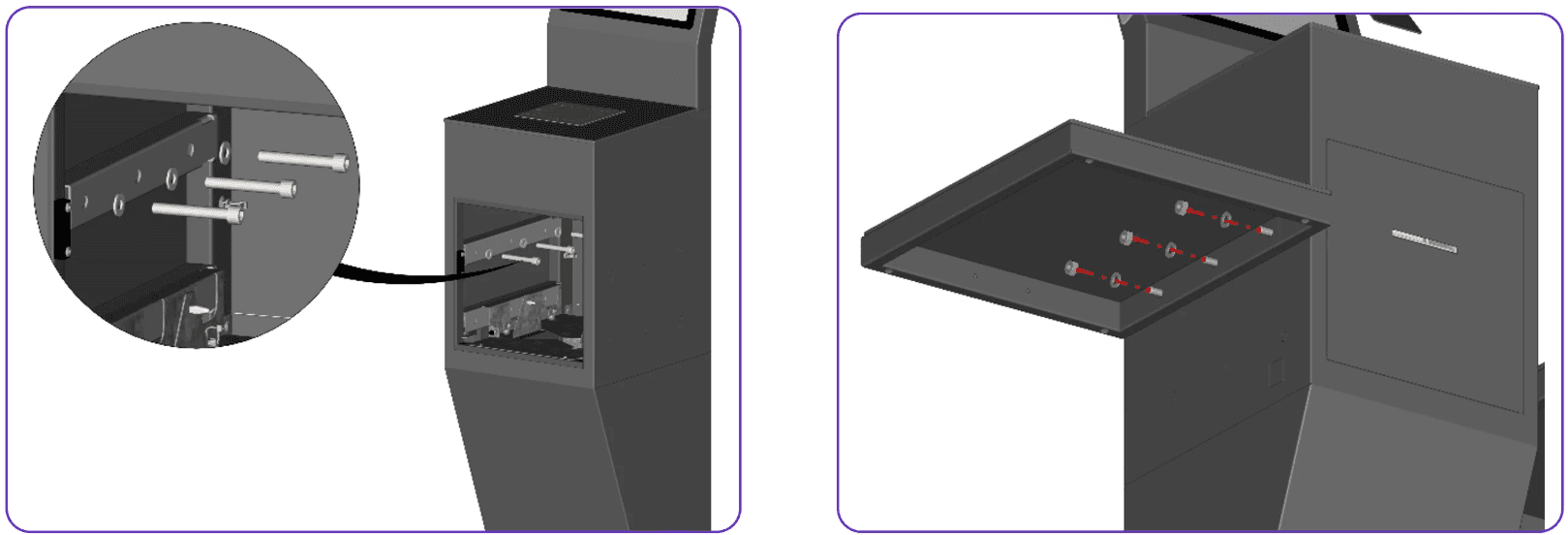
Depending on the store conditions, you have two options to mount the storage trays.
1. Press the button on the left side of the matrix to unlock the printer door:
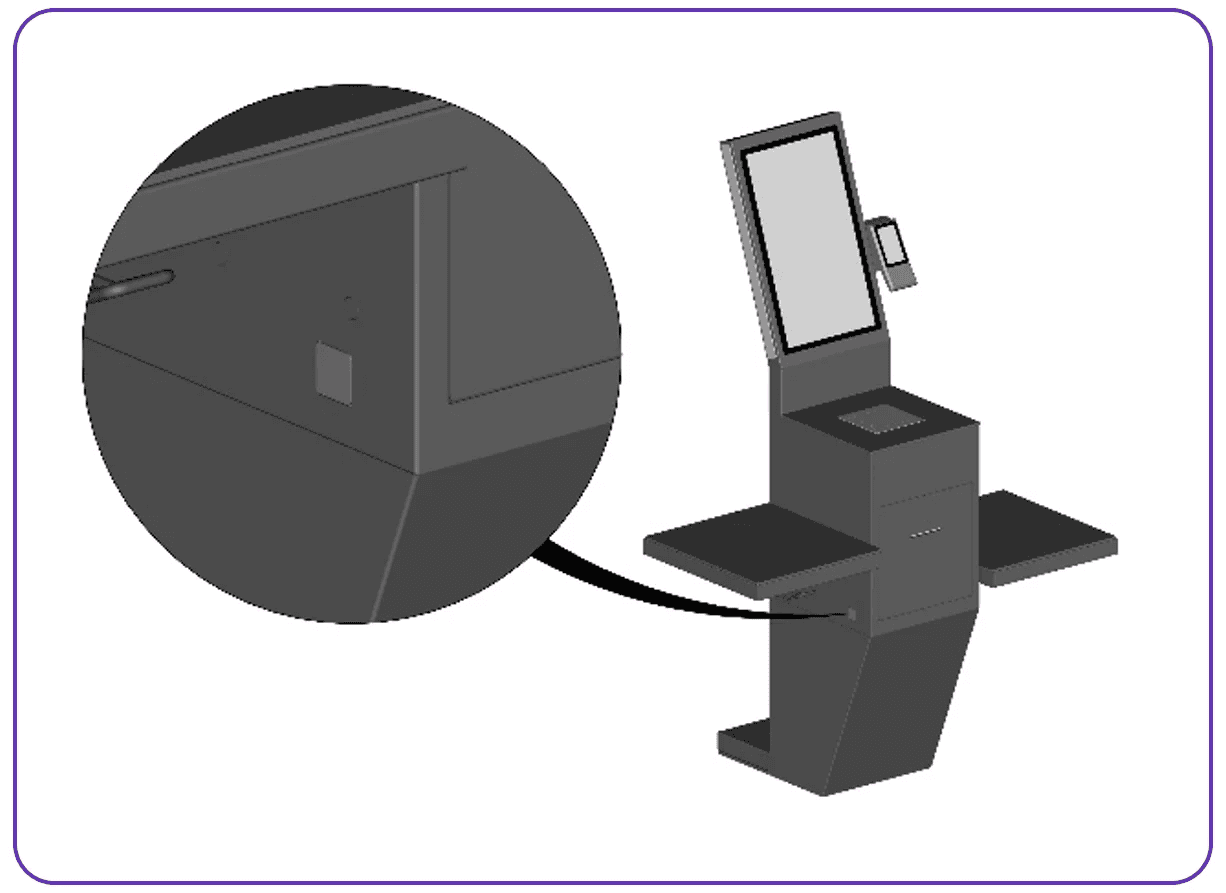
2. Open the printer door
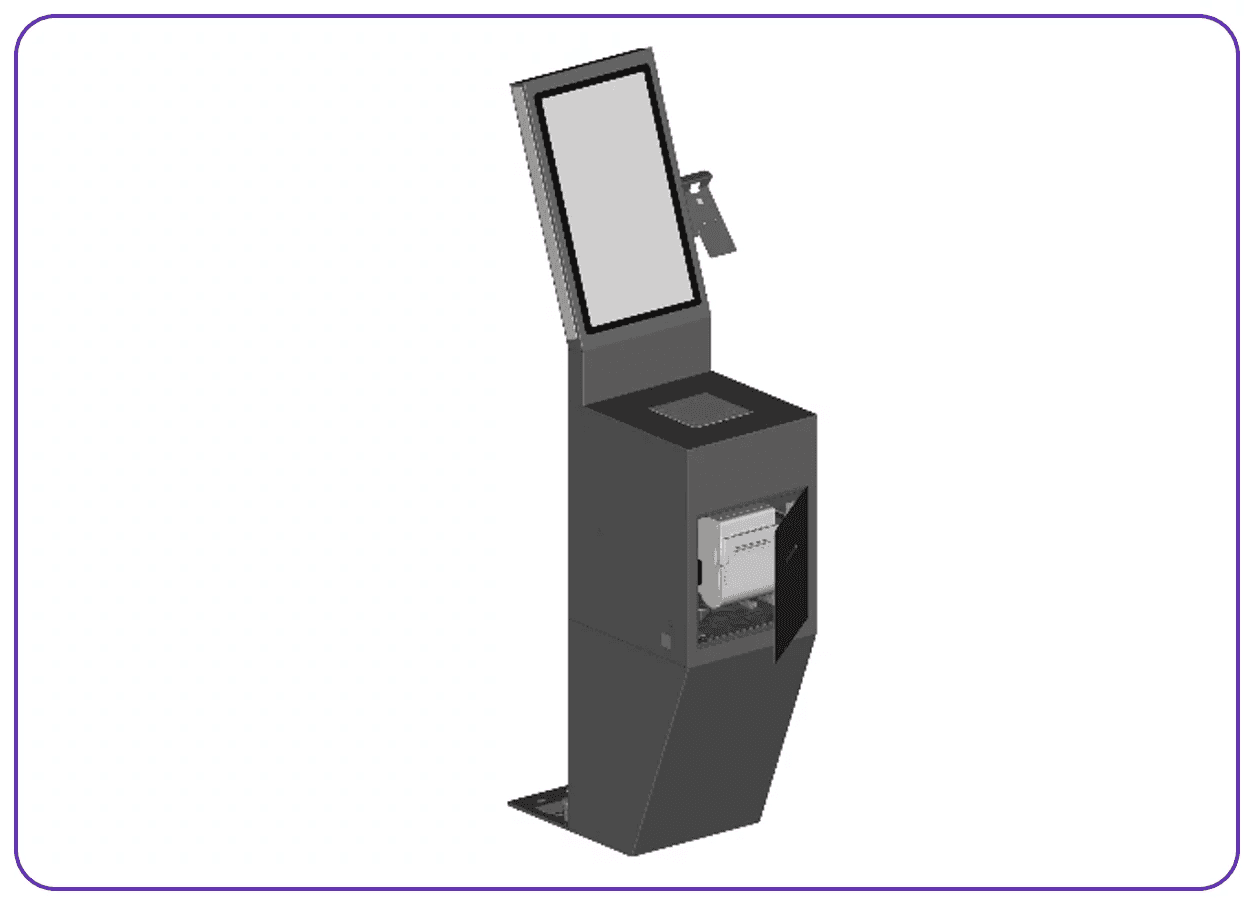
3. Install the trays on the left and the right side, with the provided screws and washers.
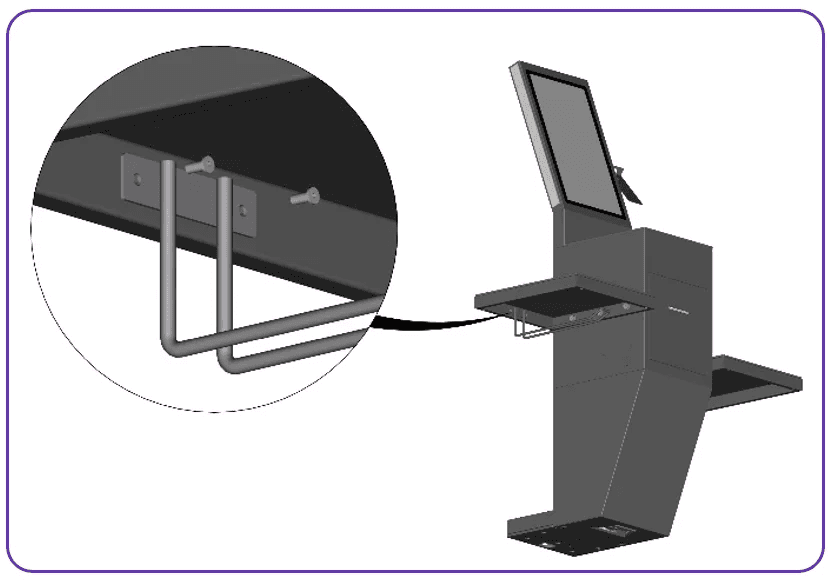
4. Mount the bag holder, with the provided screws.
Cabling and connections
Network information
Check the diagram on the main Network & Infrastructure page.
Mounting the payment terminal
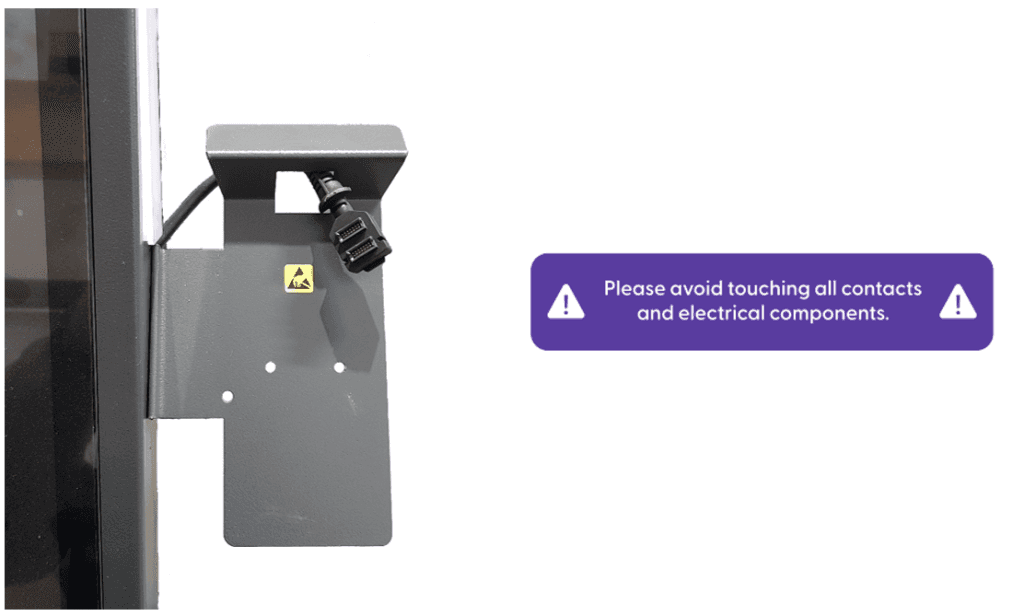
The mount is located on the right side of the screen, and it should already include the payment terminal connector cable, as displayed below.
Note: Currently, only the Verify P400 Plus Payment Terminals are supported.
Remove the back cover of the payment terminal.
Insert the cable.
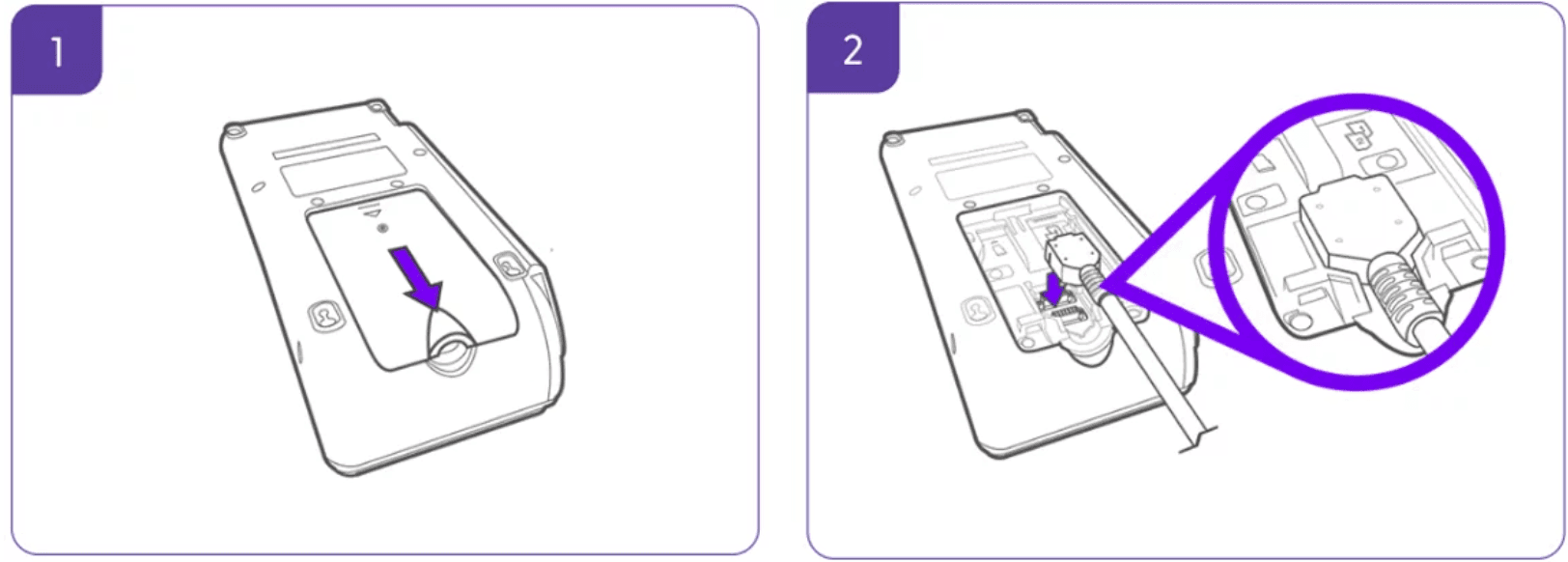
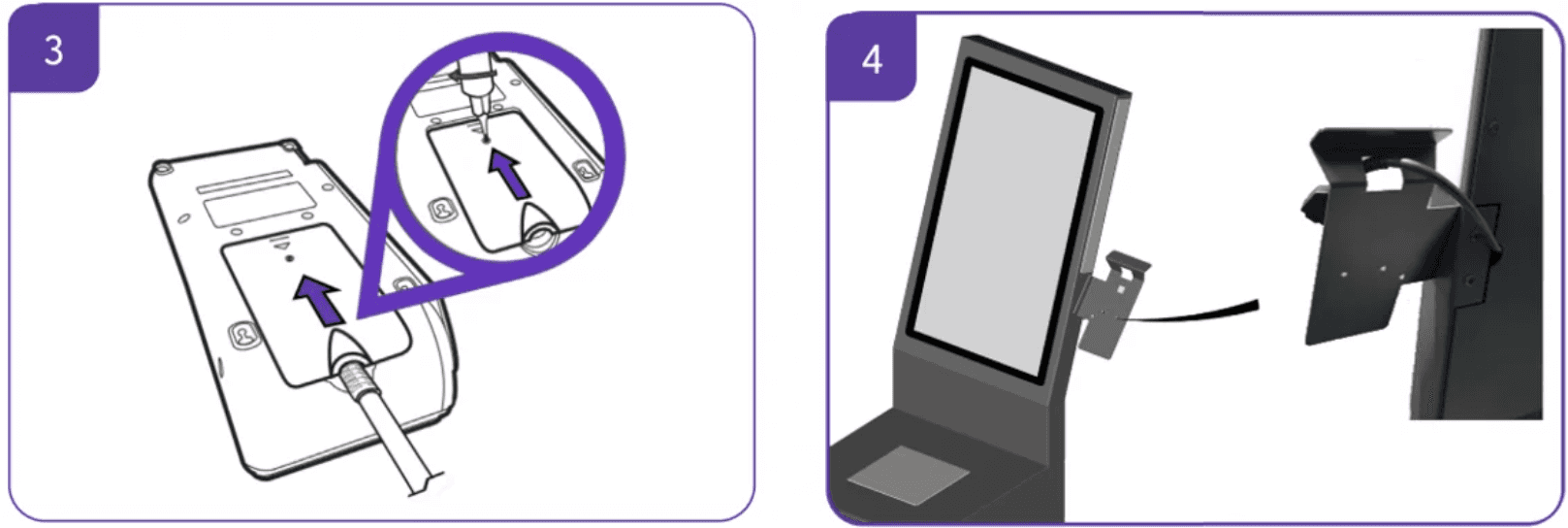
3. Reattach the back cover of the payment terminal.
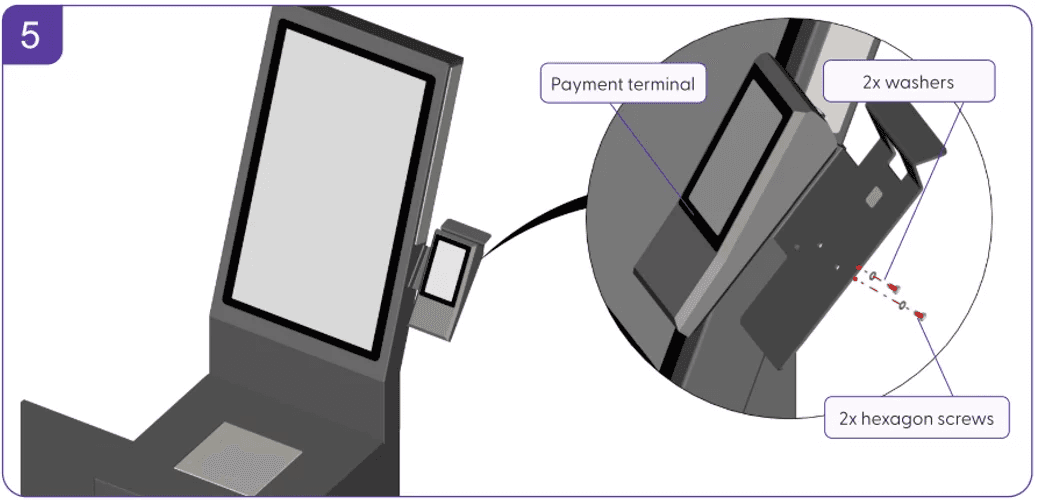
4. Mount the payment terminal onto the existing holder.
5. Adjust the hexagon screws to tighten the payment terminal onto the matrix holder.
Installing the matrix and EFT terminal
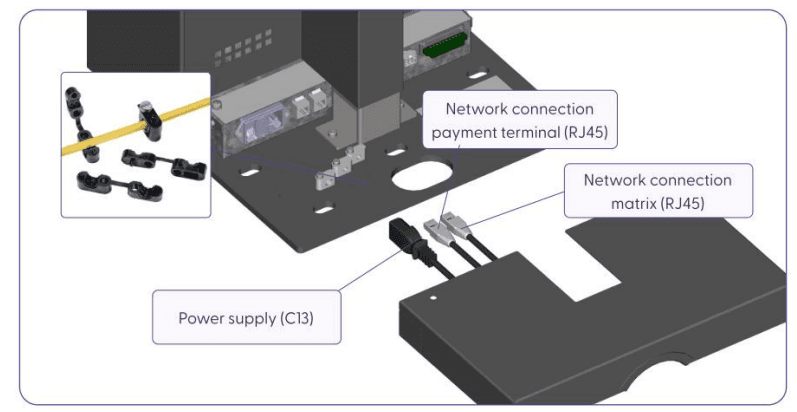
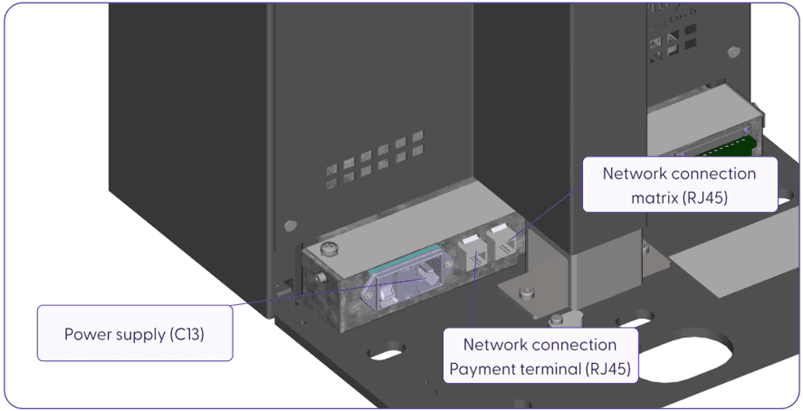
The matrix is a plug-and-play device. The power supply is via a cold-device plug, and it has two Ethernet ports. One of these two ports is used to operate the payment terminal. To connect the matrix, it is required to have:
Power supply (C13)
Network connection for the payment terminal (RJ45)
Network connection for the matrix (RJ45)
Connect the three cables to the matrix and secure them with the designated strain reliefs.
Once all connections are ready, switch on the matrix using the power button, and the matrix will turn on and start the Software.
