Employee solution: Supervisor app
Employee account management
Each Supervisor user requires an account (username and password) to be able to securely sign in to the app. These accounts are special to the Supervisor app and can be created on your shopreme Middleware: the Management Console.
You will receive your Management Console credentials from shopreme. If you have not received your shopreme Middleware credentials, please contact your shopreme Integration Consultant.
Users list
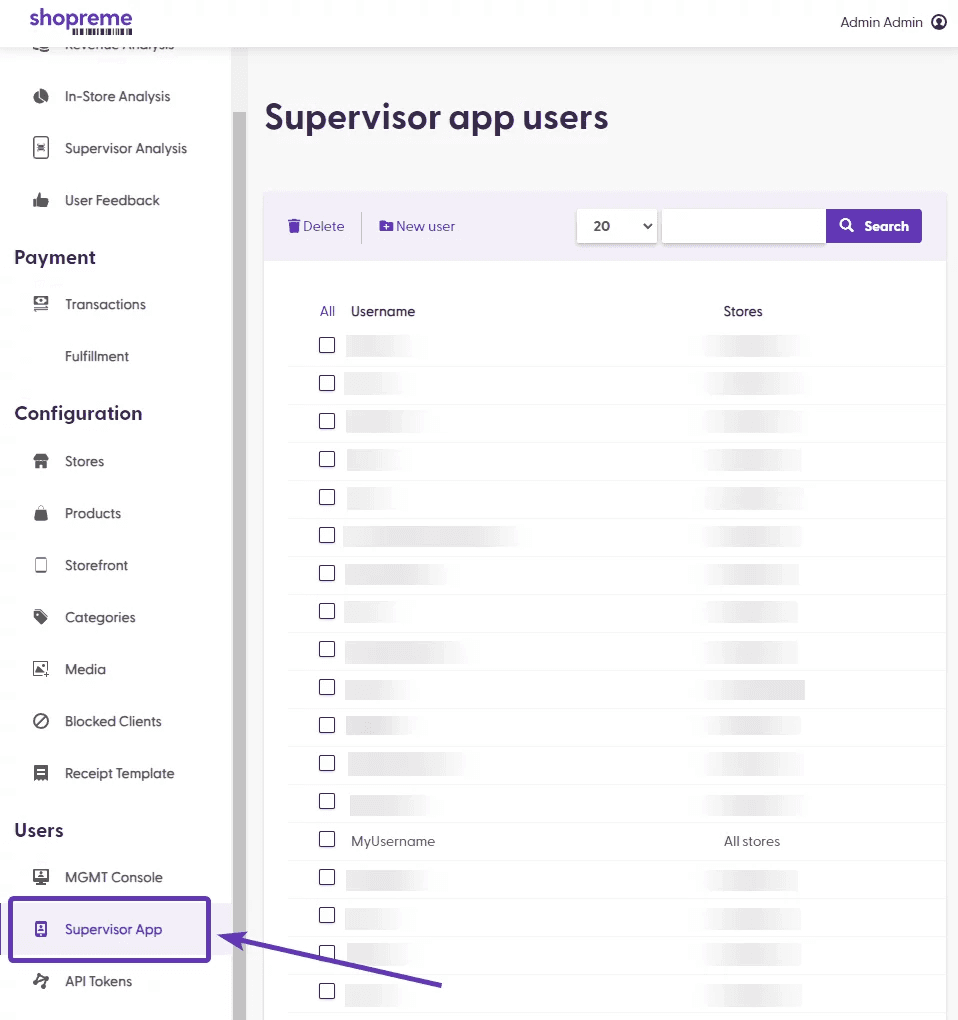
Once you are logged in to the shopreme Management Console, look for the Supervisor Users section on the left-hand menu.
In this section, you will see the list of current users (employees). The column “Stores” shows whether an employee has access to using the Supervisor app in “All stores” or specific ones.
Users creation
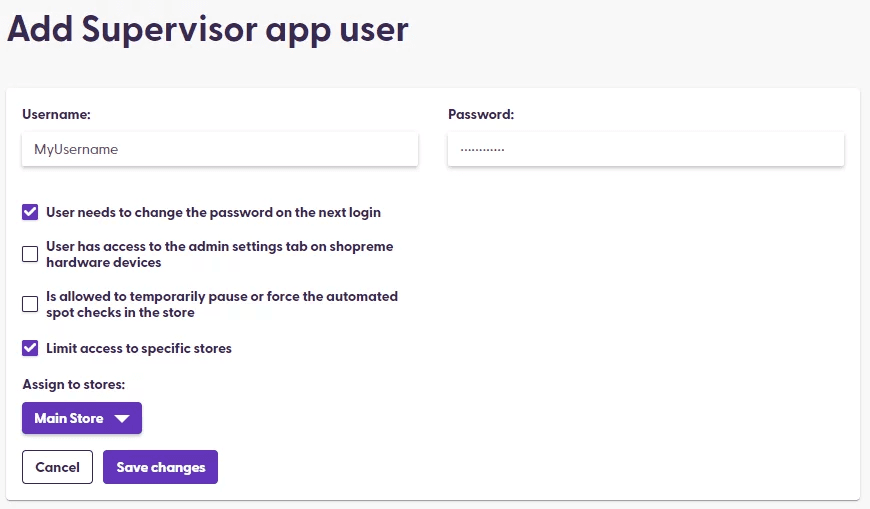
In the Management Console, Supervisor Users section, you can find the option “New User”, on the top-left side of the chart. Click on this option to create a new employee account (“User”).
Next, you will be asked to enter a username and a password. The password can be permanent or a one-time use password. For the latter, please tick the checkbox “User needs to change the password on the next login”. This will require the user to set a new private password when they log in for the first time.
The second checkbox limits the access to a specific store. This is important for employees who are only working in one or a limited number of store branches, or who should not have permission to use the app in another store.
At this time, resetting the password can only be done through the Management Console, Supervisor Users page. If an employee loses their Supervisor credentials, they should contact their supervisor or manager who has access to the Management Console for assistance.
shopreme Support will not provide access to employees who contact us directly, without explicit permission from a manager/point of contact from the organization. Please contact your shopreme integration consultant for further information.
