Scan & Pay and SDK
shopreme CardConnect
With the ShopremeCore 2.5 update, we have introduced a new feature that allows users to securely save a new debit or credit card on the Scan & Go app for future use.
This feature requires backend compatibility and is currently only available for specific payment providers. Please contact your shopreme Integration Consultant if you are interested in using this feature.
User journey
When a shopper has scanned their products using Scan & Go, depending on the store settings, they can pay on the app using an online payment method or an in-store payment terminal, such as the shopreme matrix or the shopreme vector with EFT.
Paying with an online payment method, such as a credit card, requires that the shopper enter the card details manually on the app before the actual payment process. Some payment providers can also request a two-factor verification, such as 3DS, to prevent fraud. Due to time constraints during the shopping experience, many shoppers prefer going to a physical payment terminal and tapping to pay instead of going through the process described before.
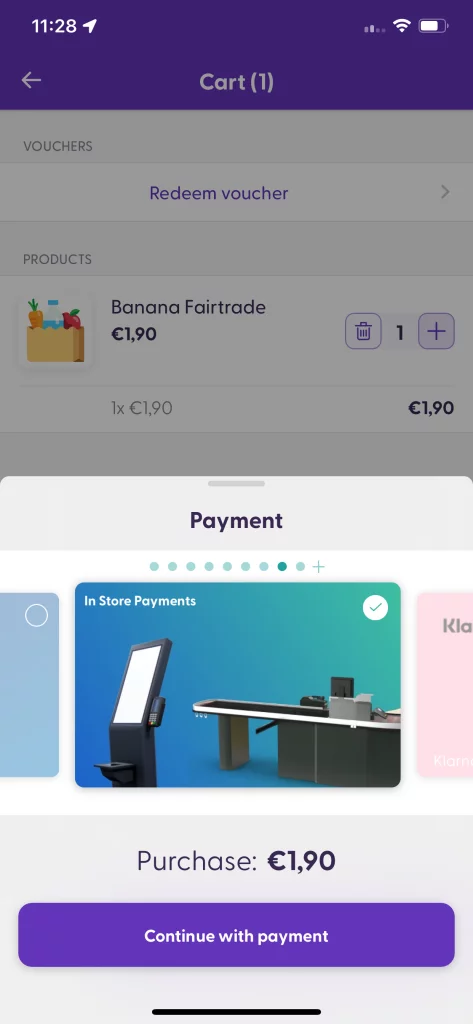
In-store payment enabled
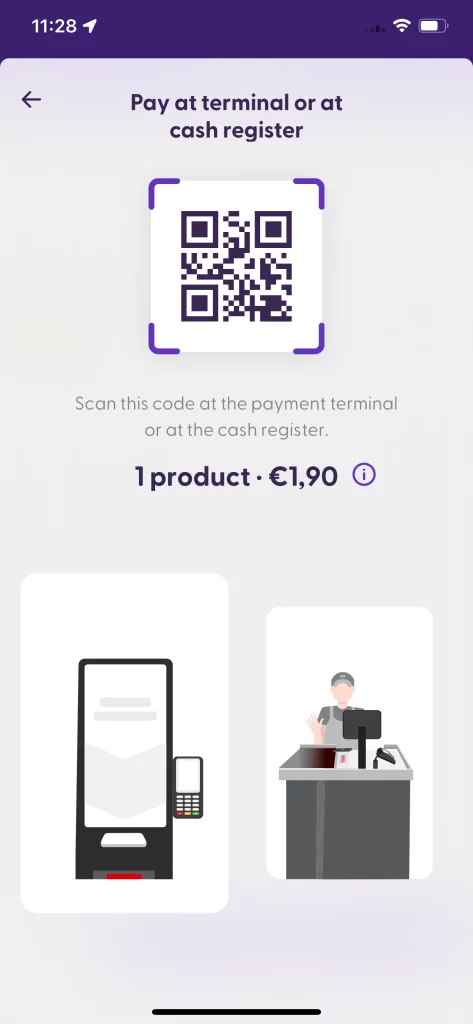
Payment QR code
Once the payment is successful on the payment terminal (EFT) of a shopreme in-store payment, the shopper will see a prompt on their mobile Scan & Go offering to save the card used for a future online payment.
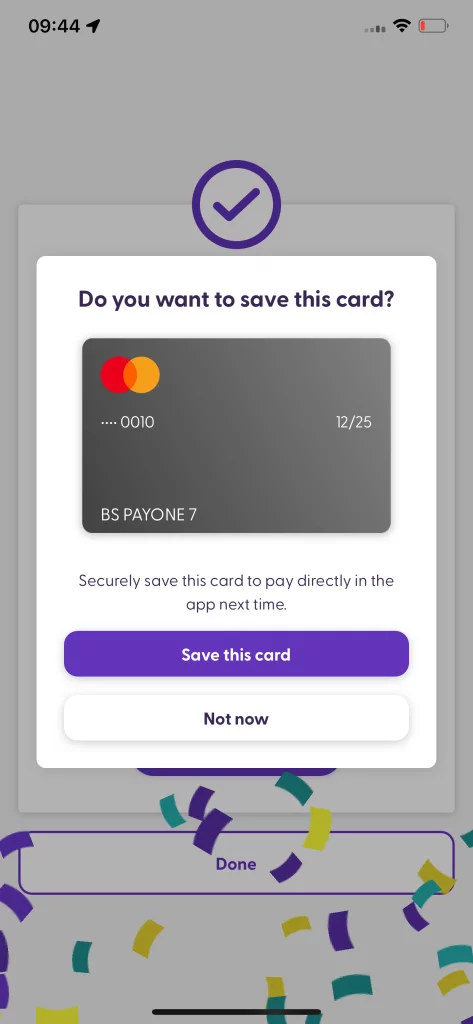
When clicking “Save this card”, a secret and secure token will be used to identify the card through the payment provider to save the time of entering the card details. This process is compatible not only with credit cards but also with bank cards and debit cards! ✨
Next time the shopper uses Scan & Go, the saved credit card will appear as one of the options to use right away in their payment method chooser menu:
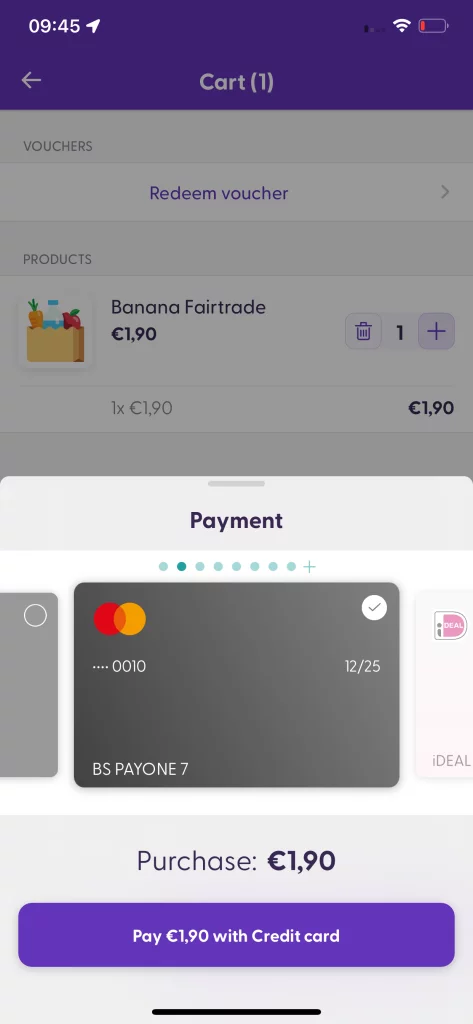
Enabling this feature will streamline the checkout process for returning customers. As long as it is enabled on your shopreme backend, the feature will work out of the box as long as your app is using at least ShopremeCore 2.5.
