Smart cart
Retail media
Overview
The snap cart enables retailers not only to digitize the checkout process but also to monetize in-store engagement through retail media. By leveraging strategically placed content areas within the app interface, retailers can deliver context-aware product recommendations, personalized offers, and brand advertisements directly on the shopper’s screen, while shopping or when the device is idle in the docking station.
Retail media and recommendation content are fully managed through the shopreme Management Console, allowing for centralized campaign control and device-type-specific targeting. These capabilities turn every snap cart into a dynamic, revenue-generating retail channel.
Lock/idle screen media
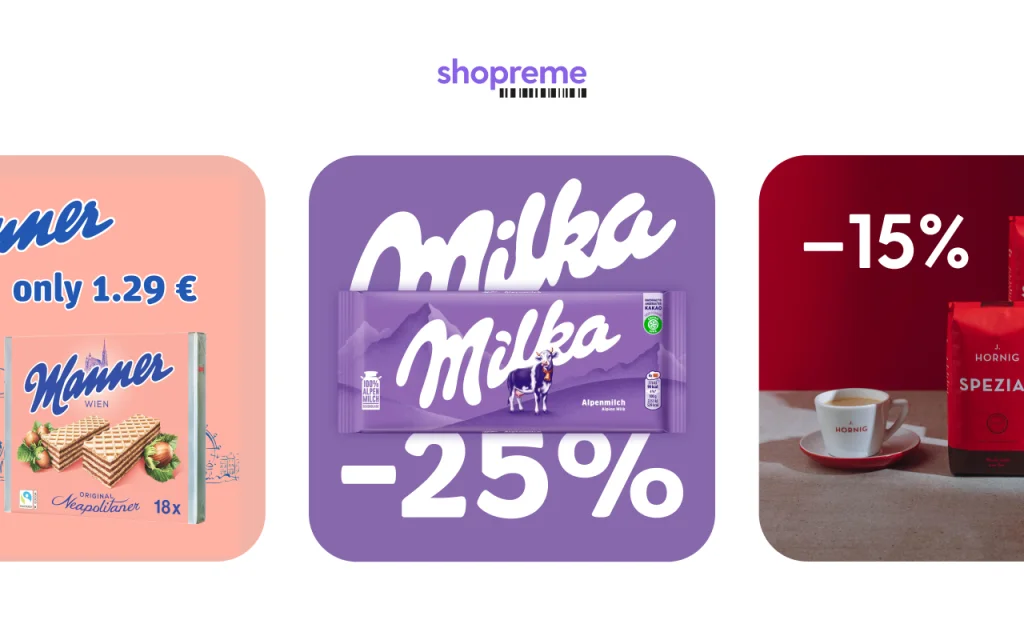
When a snap cart tablet is docked in its charging cradle, or not actively in use, the lock screen becomes a prime location for retail media content. Here, we display static ads. This display area is ideal for:
High-visibility brand promotions
Store-wide campaigns or weekly offers
Visual engagement while carts are idle
In-cart screen media
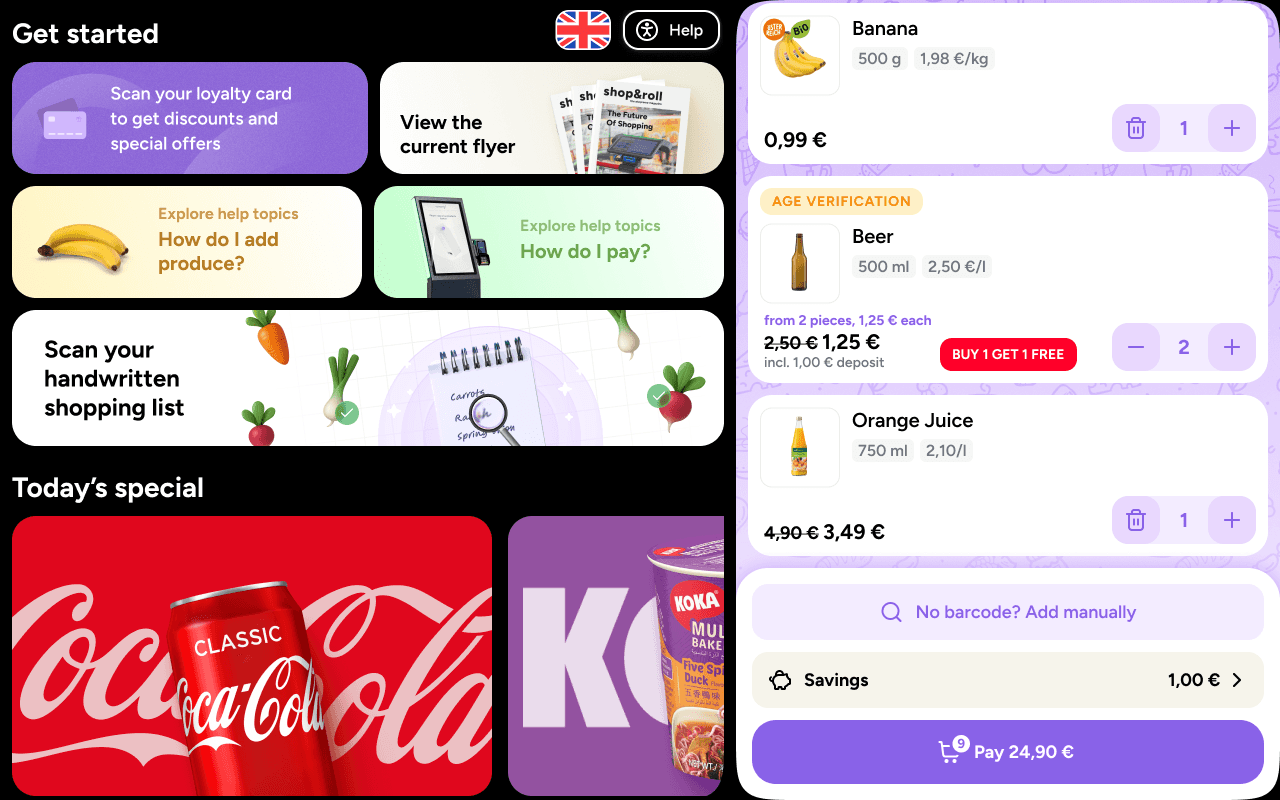
While the customer is actively shopping, the snap cart app continues to support retail media alongside the main shopping view. These content areas are more subtle but remain effective for promoting complementary items or time-sensitive deals. We offer three retail media content types in the cart: Flyer, dynamic (personalized) ads, and static ads.
Current flyer in PDF
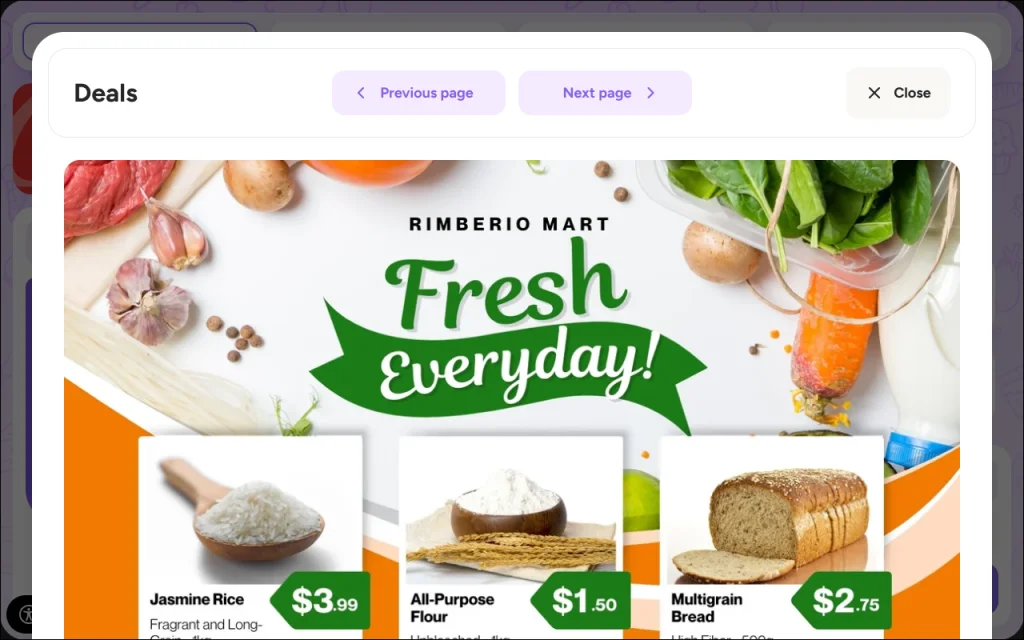
We offer the option to upload the current retailer’s flyer in PDF format to the Management Console, which can then be displayed on demand on the snap cart, allowing shoppers to browse the latest offers.
Current deals: Static content
The static content is fed from the same source of the idle screen when the snap cart is in the cradle. This content is always displayed in all devices for ongoing campaigns based on a schedule, which can be configured in the shopreme Management Console.
“For you”: Journey ads
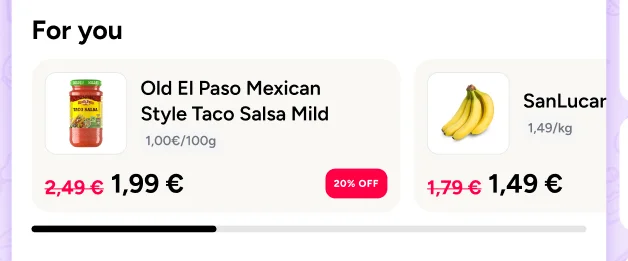
Beyond static promotional content, snap cart also enables personalized product recommendations and product-related ads based on the customer’s current basket.
As the shopper scans products, the app can suggest:
Complementary items (e.g., recommending pasta sauce after scanning pasta)
Upsell opportunities (e.g., switching to a larger pack size or premium brand)
Cross-sell bundles (e.g., batteries for an electronic device)
These dynamic recommendations are displayed contextually and in real time, giving the shopper helpful nudges while increasing average basket size and revenue potential.
Snippet of dynamic content

Snippet of a journey ad
Retail Media on the Management Console
All retail media and recommendation configurations are handled in the Retail Media section of the shopreme Management Console.
Here, marketing teams can:
Upload creative images
Create campaign schedules and define run times
Target specific device types
This allows for making the snap cart an effective platform for in-store digital advertising.
