Management Console
In-store analysis
Overview
The In-Store Analysis focuses on the shopper activity per store for a specific period of time.
The graphs on the top show the total number of shopping sessions, unique customers and their change in percentage in comparison to the previous period. It also shows the share of client types used by shoppers: apps (iOS app, Android app, or Portable Scanner), or matrix.

The “Sessions” chart shows an overview of the ratio of devices used, but also differentiates between native customer clients and web clients (if available).
The “Customer retention” chart displays the percentage of customers using Scan & Go for the first time versus the percentage of recurring customers. In the case of recurring customers at the matrix SCO, this is known based on the payment method: each physical card generates a unique token and if a token is used more than once, it is considered a recurring customer.
Customer acquisition
The customer acquisition graph combines two metrics in one for a quick overview: the number of first-time customers per time frame (in green bars) and the running total of unique customers (in a purple line).
This graph could provide insights about how a marketing campaign for Scan & Go is going, such as how many new customers started using the system recently.

Conversion flow and rate
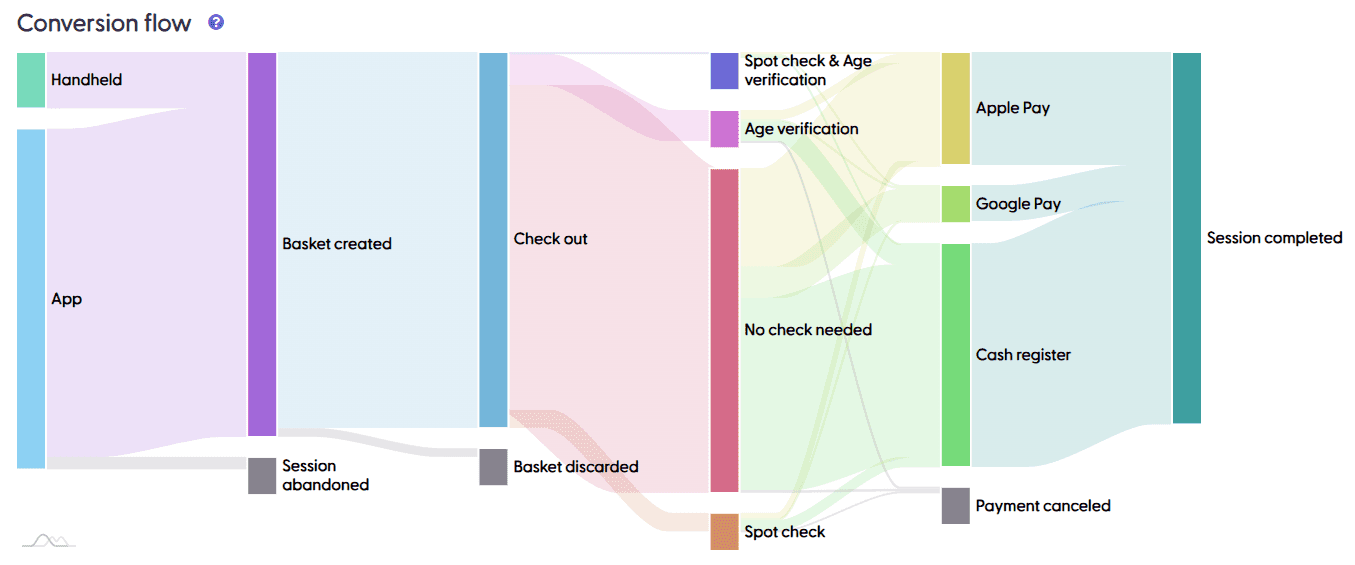
The conversion flow is a diagram that illustrates the user journeys for all shopping sessions in selected stores, for a specific time frame. By user journey, we mean the different states throughout the Scan & Go session. Checking in to a store, creating a basket once the first product is added to the cart, initiating the payment process (check-out starts), choosing a payment method, and having a final state (successful payment or an error). The graph only displays completed shopping sessions; i.e., if a transaction had an error and then the customer goes back to the cart and pays successfully with a new payment method, the final state of that shopping session will be “Payment success” and the error will not be counted here.
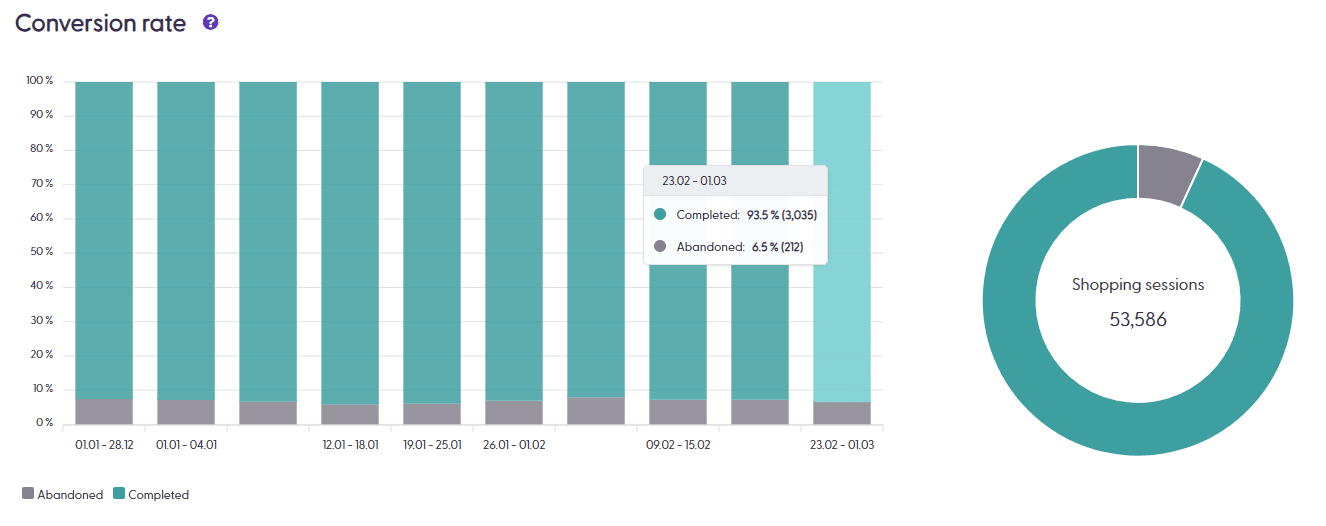
The conversion rate bar chart is one of the most valuable tools in the shopreme Management Console, as it provides retailers with a quick overview of the performance of the selected stores for a specific time frame. A high rate of canceled or failed shopping sessions would signal that some part of the ecosystem needs urgent attention or investigation.
Shopping duration
This graph illustrates the time shoppers spend in the store, from the moment they check in to the store until they leave (by completing the payment or scanning an exit code). This example below then shows that Scan & Go is especially useful for customers who need to make a quick purchase in under 5 minutes!

Product scans
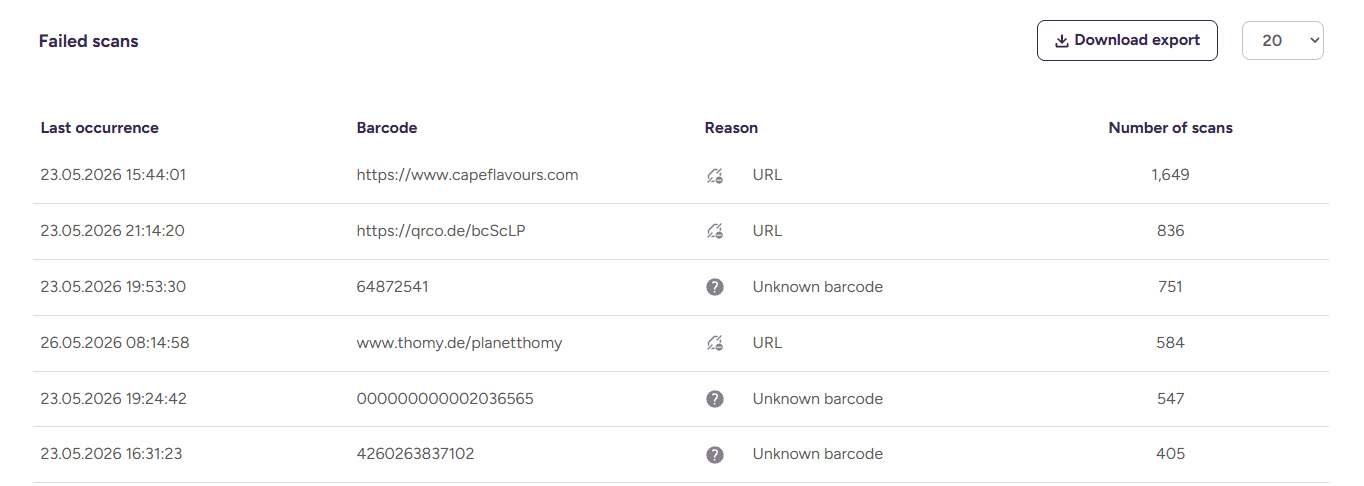
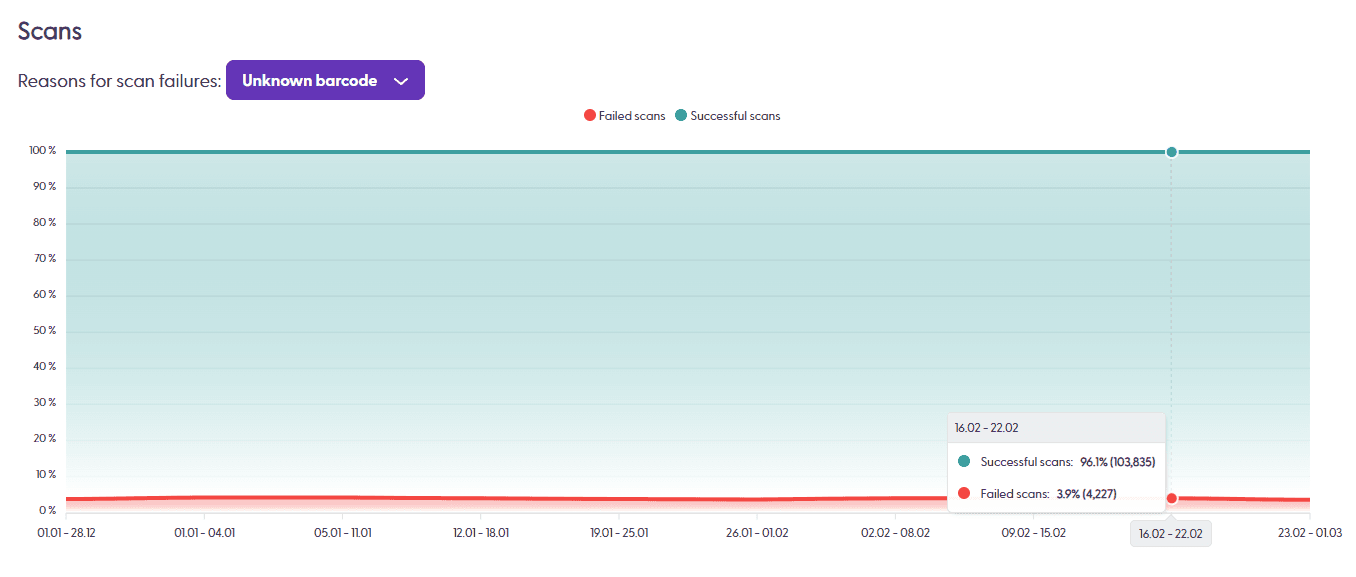
This page also includes information about product scanning: The “Scans” chart shows trends in failed scans daily. This could be insightful to spot an issue with the product import job: if barcodes are imported incorrectly or products cannot be scanned, this chart would show a spike in red. The failed scans can also be exported in a .csv file for further analysis and product data sanitization tasks.
The failed scans table can provide more insights regarding why there were failed scans in the line graph. When checking the “Include known reasons” checkbox, the table will display known reasons for a scanned code to fail. For example, if our system knows that the scanned code was a Check-in code, a Transaction ID, a URL, or if a product was recognized but does not have a price. This data can be exported and downloaded as an Excel spreadsheet.