Management Console
Revenue analysis
Overview
The Revenue Analysis section will show an aggregation of revenue and transactions in all stores for the last 10 days, by default. You can also filter per client, to distinguish between transactions completed using the Scan & Go app and shopreme POS, such as matrix or vector.

Revenue & transactions
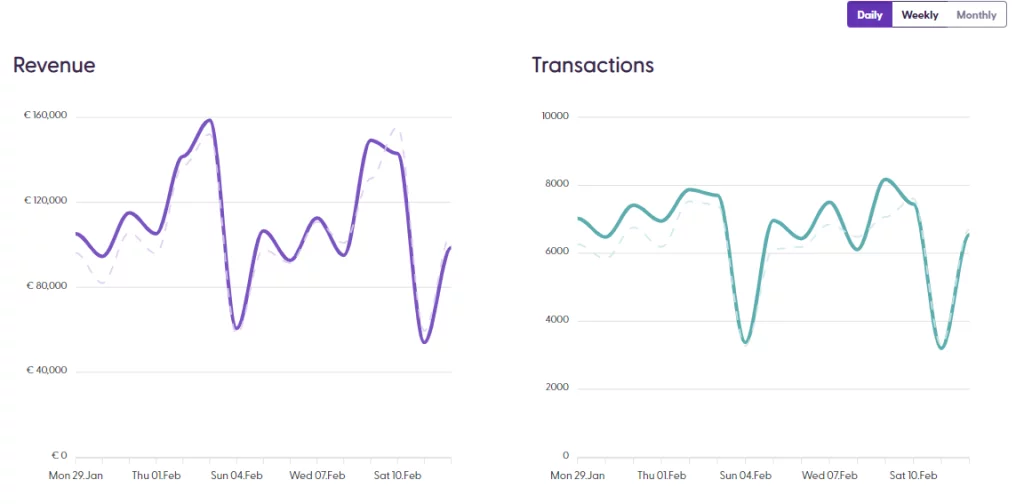
Under the Revenue KPIs, we find the Revenue and Transactions line charts, which provide an overview of the current period selected on the top filters. The thick lines represent the current period, while the dotted-lighter lines show the previous period for comparison. The comparison periods are overlapped based on the day of the week, making the trends more noticeable at a glance.
Payment methods
On the same section, we also find the Payment method analysis charts, which display the data by sorting the payment method type by revenue amount or by number of transactions using that payment method.
At the bottom, the information from both charts is consolidated in one table.

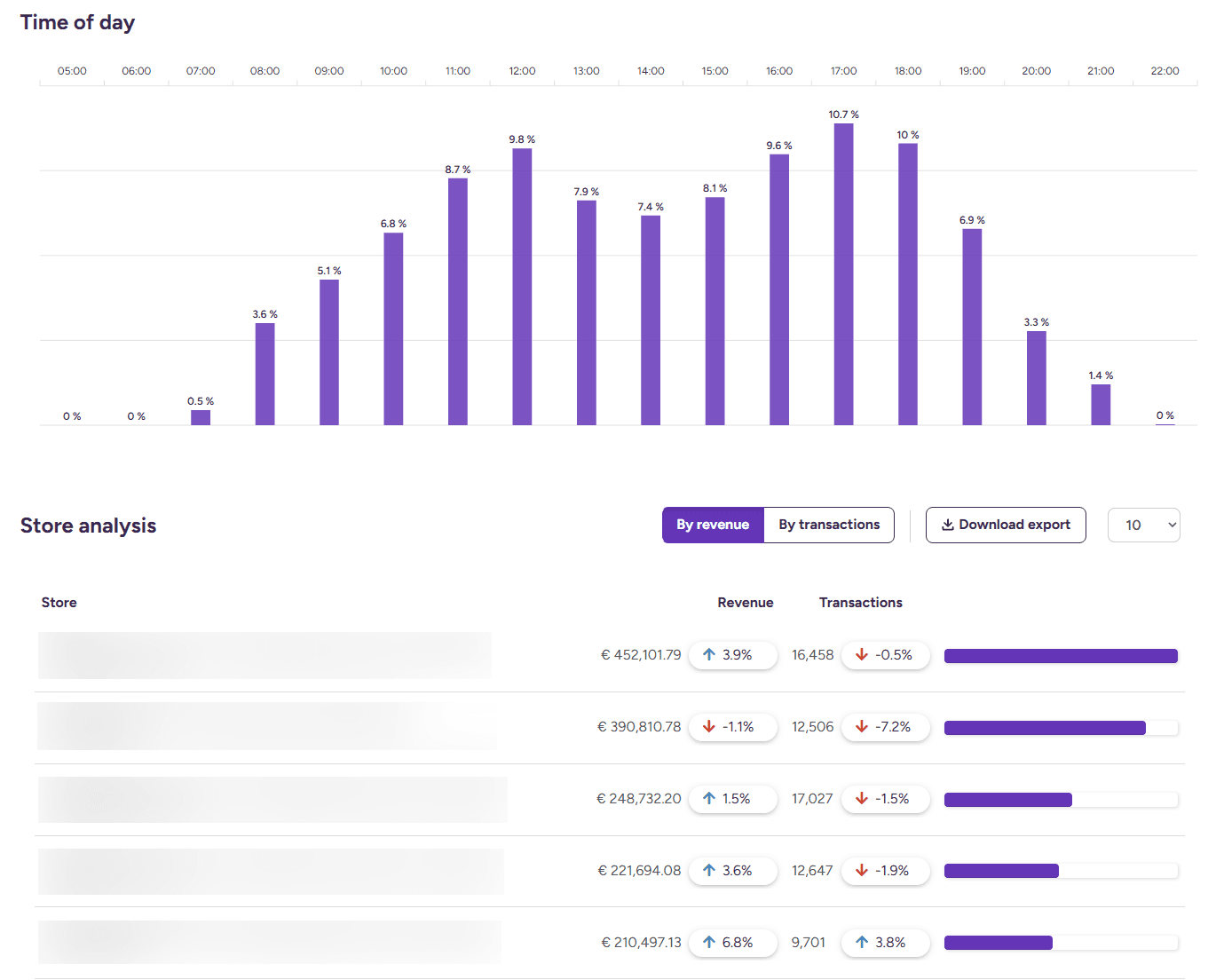
The Revenue analysis page also includes the Time of day bar graph, which shows an overview of the busiest times in specific stores, based on the top-bar page filters. The Store analysis graph also summarizes the list of stores with their corresponding total revenue and total transaction number, in a sorted list in descending order. This information can also be downloaded as an Excel spreadsheet.
Lastly, the Revenue page includes the list of products purchased in the selected stores, sorted in descending order based on the number of sales, so retailers can evaluate at a glance what the most popular products were for a specific store and time frame.
