Management Console
Product catalogue
Overview
Catalogue items are “labels” under which products can be grouped, especially those that do not have barcodes. This is used for the Category Search feature on the SDK, the smart cart, or the shopreme matrix SCO.
For example, categories of retail products such as Fruits, Vegetables, or Bakery very often do not have barcodes by themselves, if they are bought per unit. By using the Category Browsing feature, shoppers can find these products by opening the categories and clicking on the products directly.
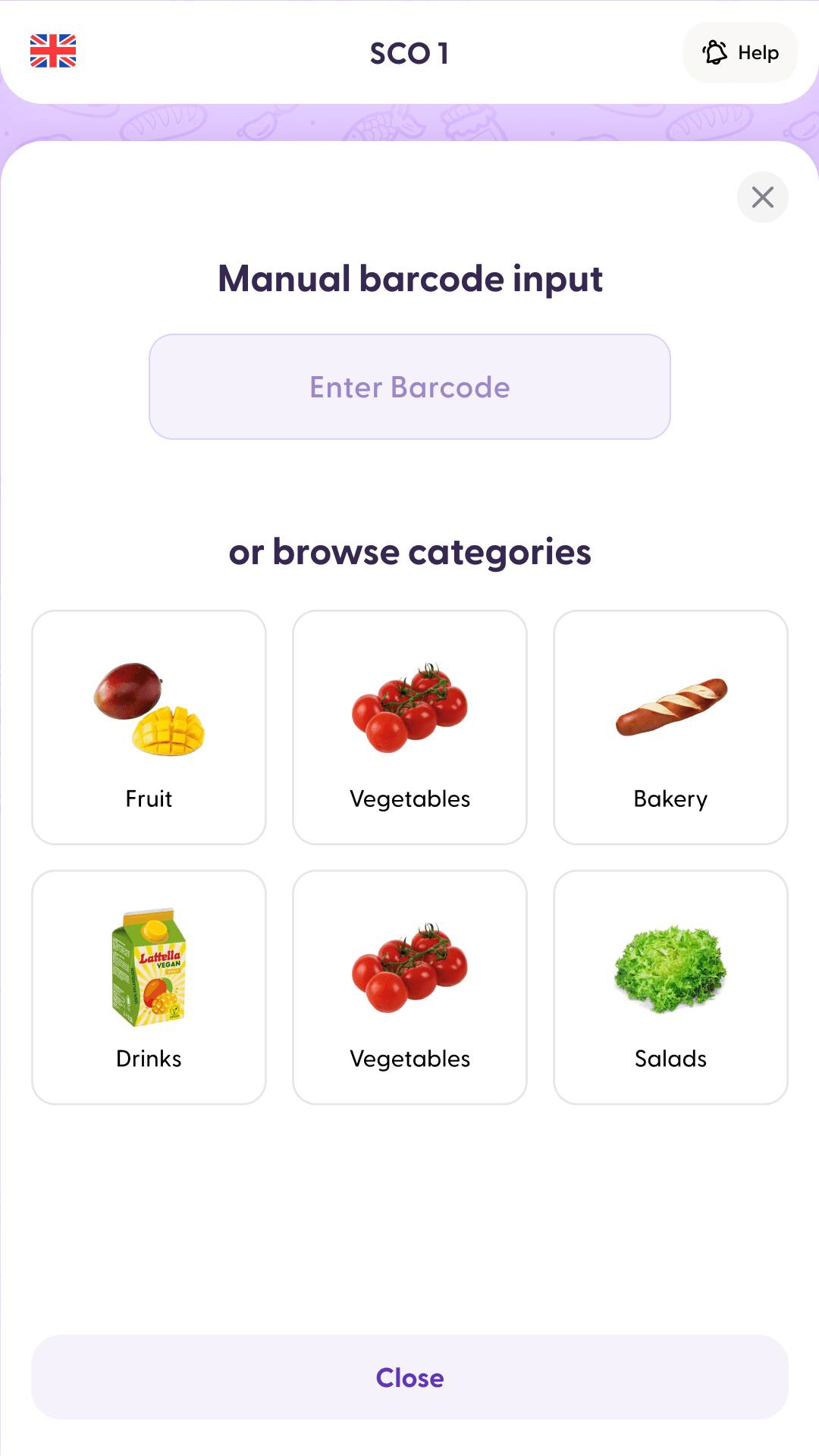
Categories on the matrix SCO
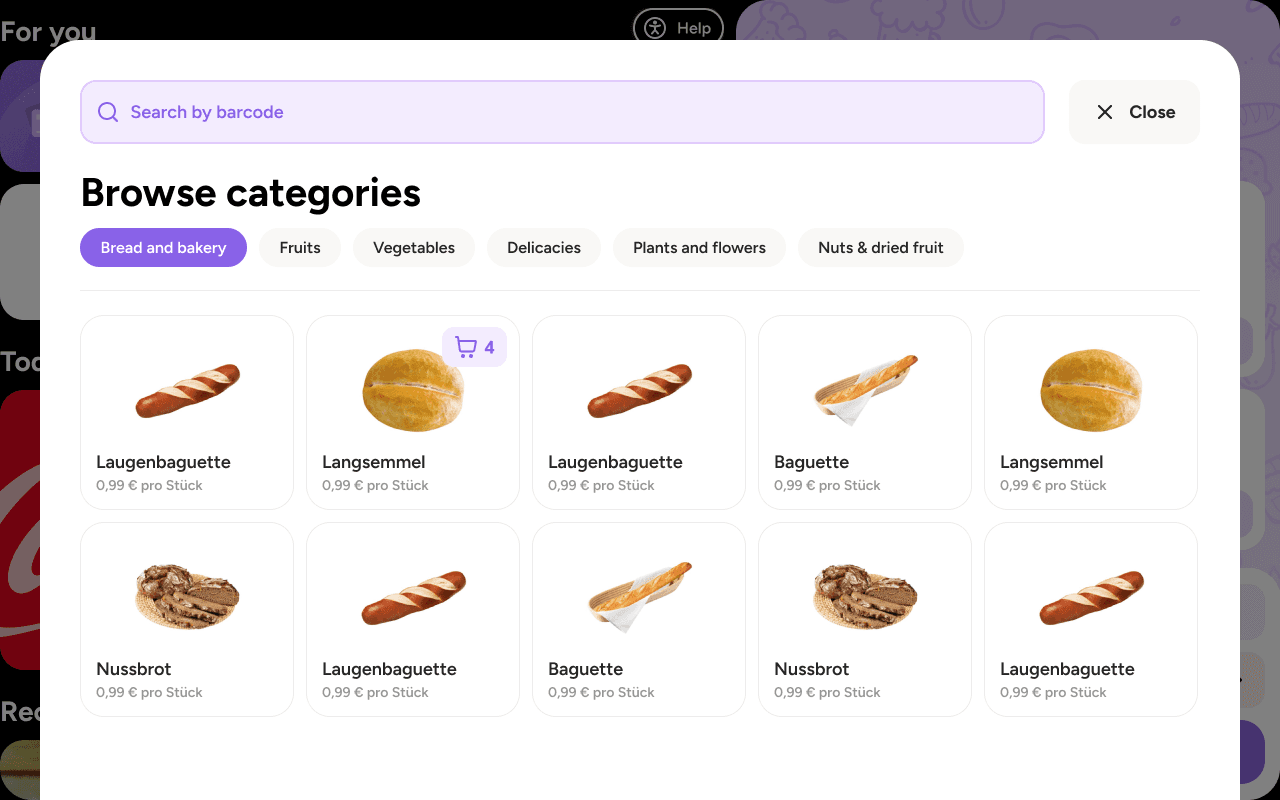
Categories on the shopreme smart cart
Managing the catalogue
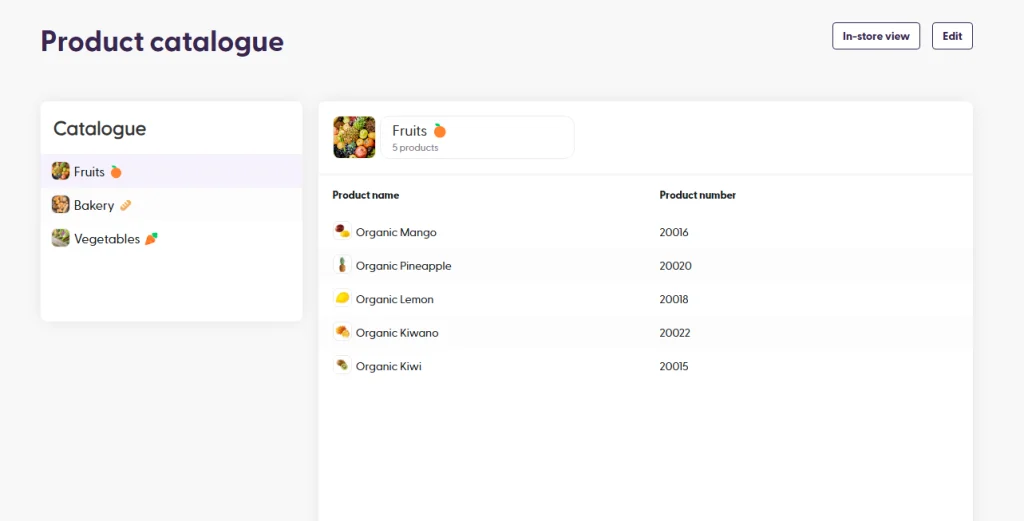
In the shopreme Management Console, you can find the section on the left-hand menu that is called Catalogue. Here you will see any existing catalogue items you may already have. By clicking on each Catalogue item on the left, you will see the list of products included in this group, on the right-hand table:
Create a catalogue item
If needed, you can create a new catalogue item. That is, a new label or “group” under which new products can be found when using the Category Browsing feature.
To get started, click on the Edit button on the top right corner of the overview page. This will enable the editing mode. Then, you can click the “+” button next to the Catalogue header:
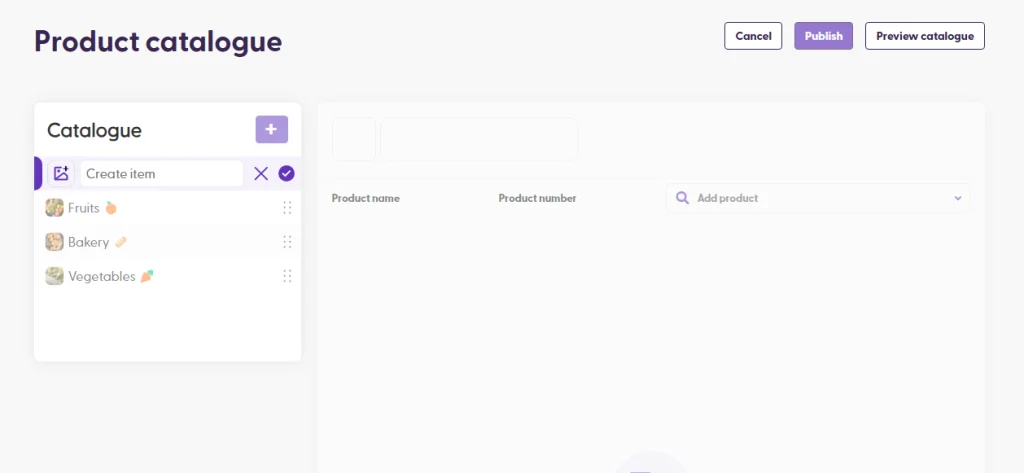
In the catalogue item creation, you can enter a name for this category, as well as an image. A descriptive image can make using the feature more aesthetically pleasant while using the apps.
Once the catalogue item is created, you can continue by adding products to this group. This can be done by searching for the product in the “Add product” search field. You can then click the result and it will be added to the list.
Items in the list can also be manually reorganized by dragging and dropping them.
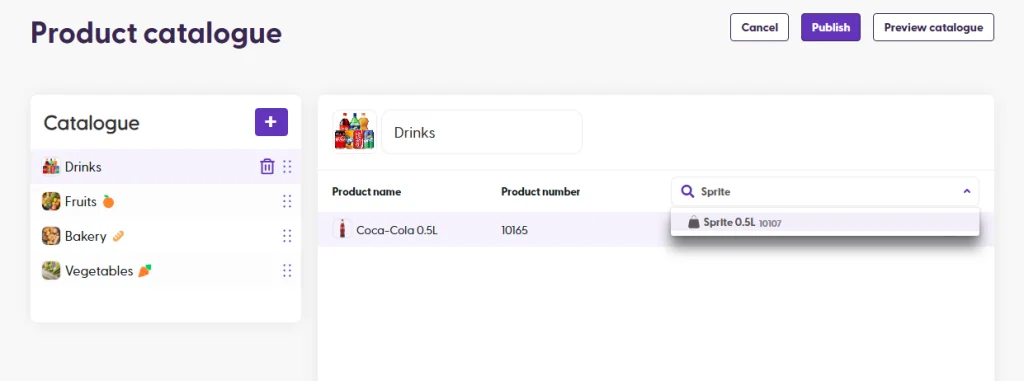
Preview your catalogue
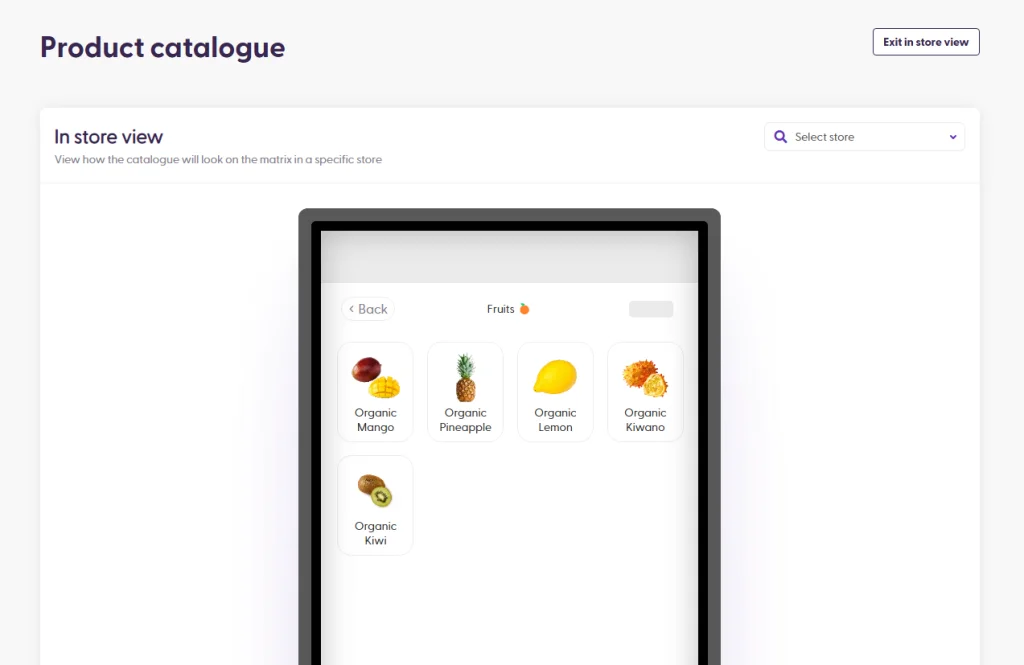
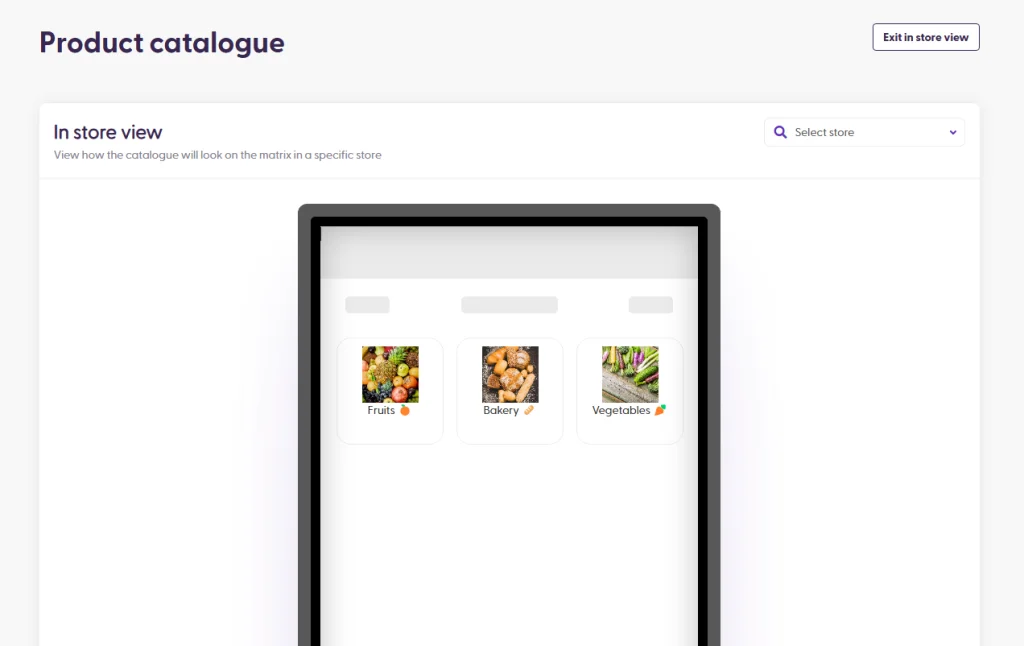
Once all products are added to the catalogue item, you can click “Preview catalogue” to see a visualization of what the categories will look like on the matrix SCO, for a specific store. This is important, as it is possible that some products only have prices for a specific store, so they would only be visible in the Category Browsing in only one store. This preview can help confirm what shoppers will see in each store.
Catalogue before creating the new item:
Catalogue after creating a new item:
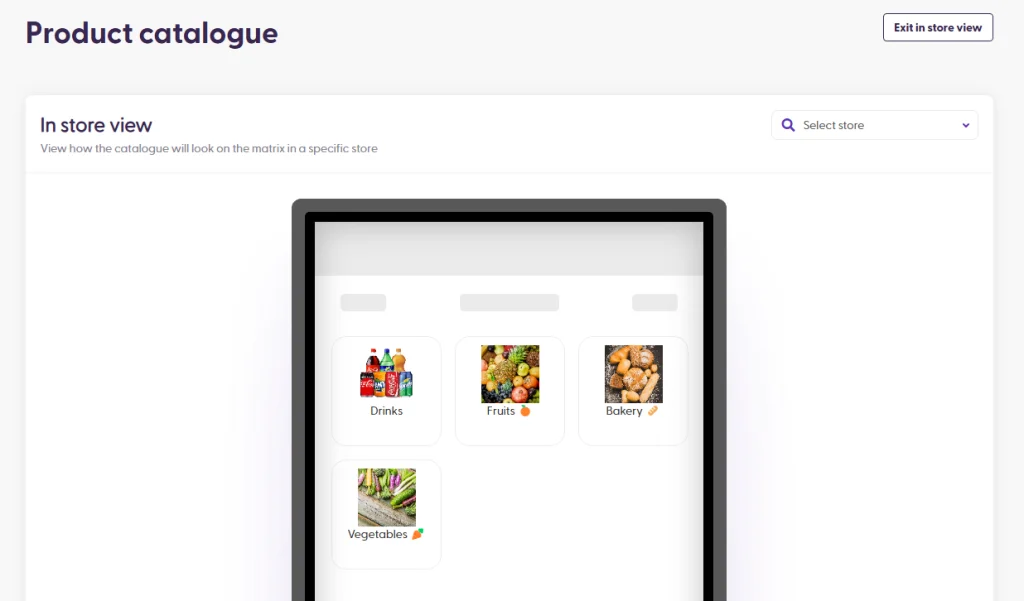
Tapping the catalogue entry will display all the available products listed in it.