Smart cart
Overview
The shopreme SDK powers the Smart Cart, a modular smart shopping cart with built-in retail media. This innovative solution enables retailers to offer a seamless and personalised Scan & Go experience directly from the shopping cart, eliminating the need for customers to use their smartphones or handheld scanners. With the smart cart, customers can scan items effortlessly as they put them in the cart, tap to pay, and complete their entire checkout journey without needing to queue up to a cash register, while retailers offer them tailored recommendations and promotions as they shop in the store.
Compatible hardware
Hanshow Snap-On
Detachable tablet with a charging station.
3 cameras (two facing the cart, one facing the shopper) for Loss Prevention.
NFC payment ready.
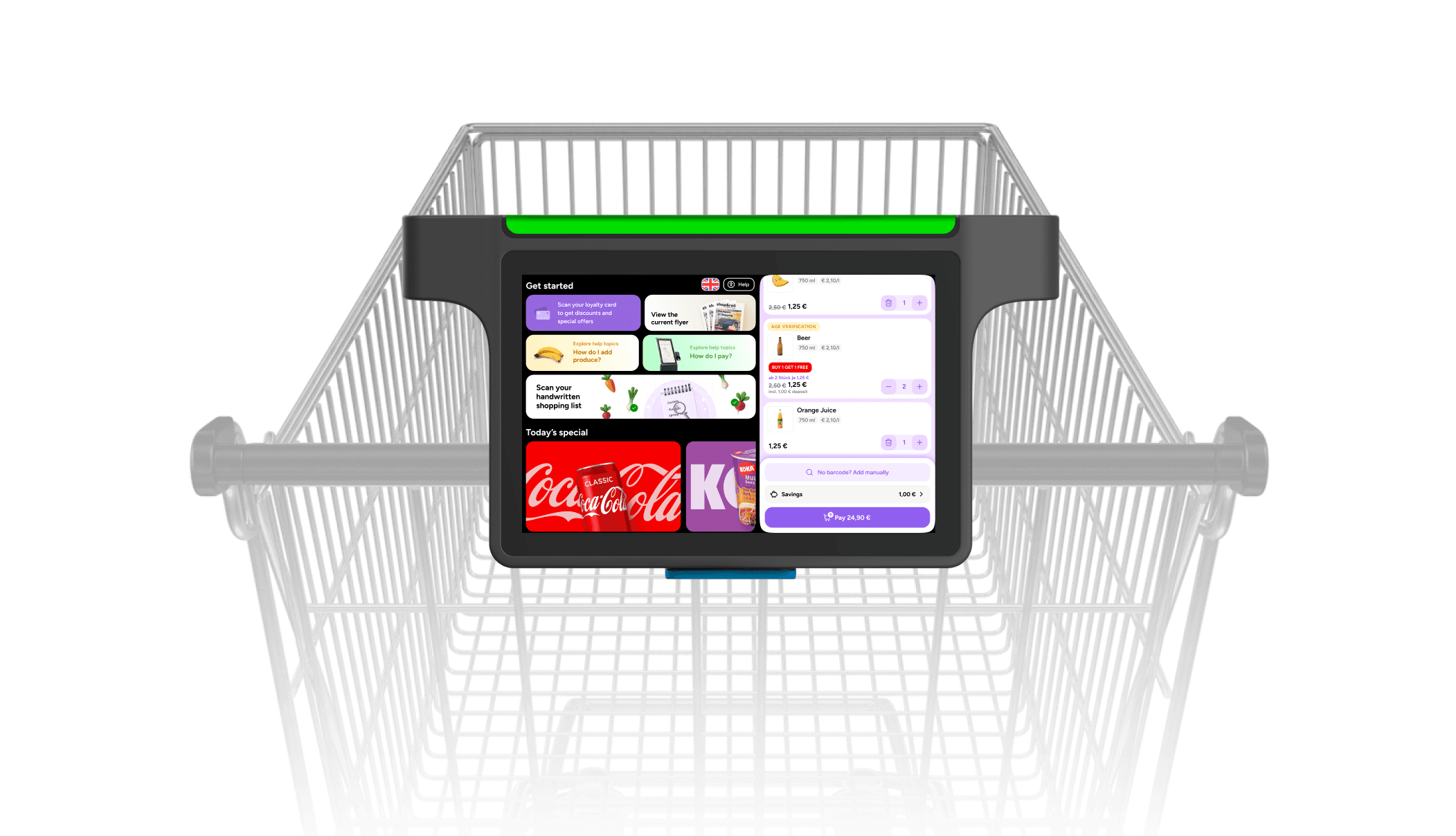
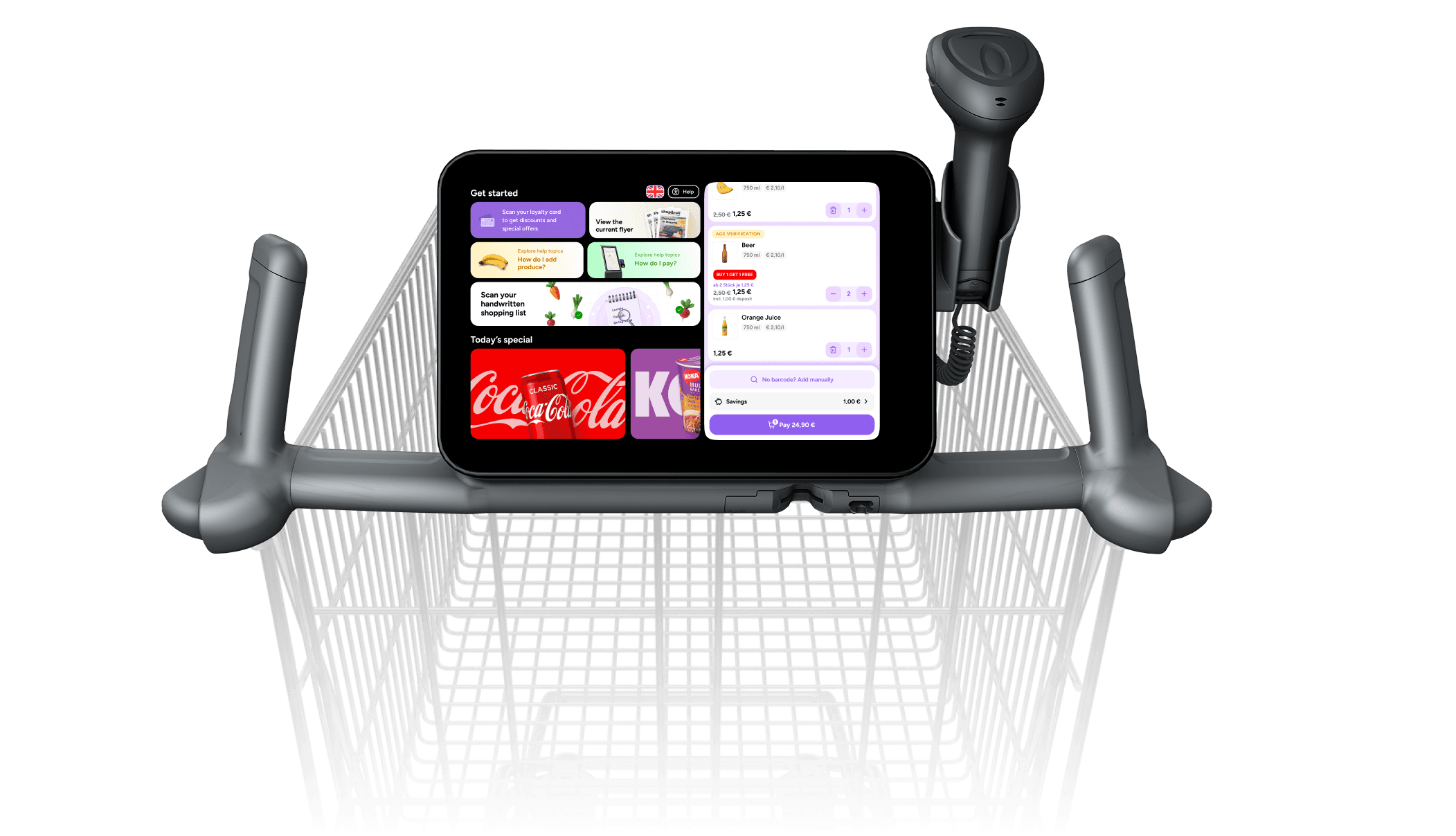
Hanshow Fully Integrated
Tablet fixed to the cart
Scales for Loss Prevention, for higher accuracy

Wanzl Fast Laner
Tablet fixed to the cart. Supports nested charging of carts.
1 camera for Loss Prevention
NFC payment ready
User journey
The shopreme smart cart offers a fully integrated Scan & Go experience directly from the shopping cart, without a smartphone. It empowers customers to scan products, track their purchases in real time, and pay using multiple methods, all from a tablet mounted on the cart. Depending on the hardware setup, this tablet may either be embedded into the cart or docked in a charging station from which customers retrieve it at the beginning of their shopping journey.
The journey begins by unlocking a device directly from an unlocking station or the smart cart (self-unlocking). From there, customers can scan products as they shop, verify any restricted purchases, and finalize their transaction with minimal friction. The process concludes with either returning the tablet to a charging cradle or simply returning the cart if the tablet is fixed to the cart.
The specific flow may vary depending on the hardware configuration:
Cradle/docking station setup: Tablets are docked, charged, and locked until a shopper unlocks one.
Embedded tablet setup: The tablet is permanently attached to the cart and always available.
Unlocking the smart cart
In setups where the tablet is docked in a charging station, unlocking is handled via a central system. Learn more about the shopreme Unlocking Station <add link here>. Self-unlocking is also an option, for example, if a loyalty card should be scanned directly at the shopreme smart cart to start using it.
For detachable tablets: Once a shopper authenticates, the system selects the snap cart tablet with the highest available battery and sends a push notification to unlock it. The device can be taken from the cradle and mounted on a shopping cart, while the screen shows the instructions on how to continue.
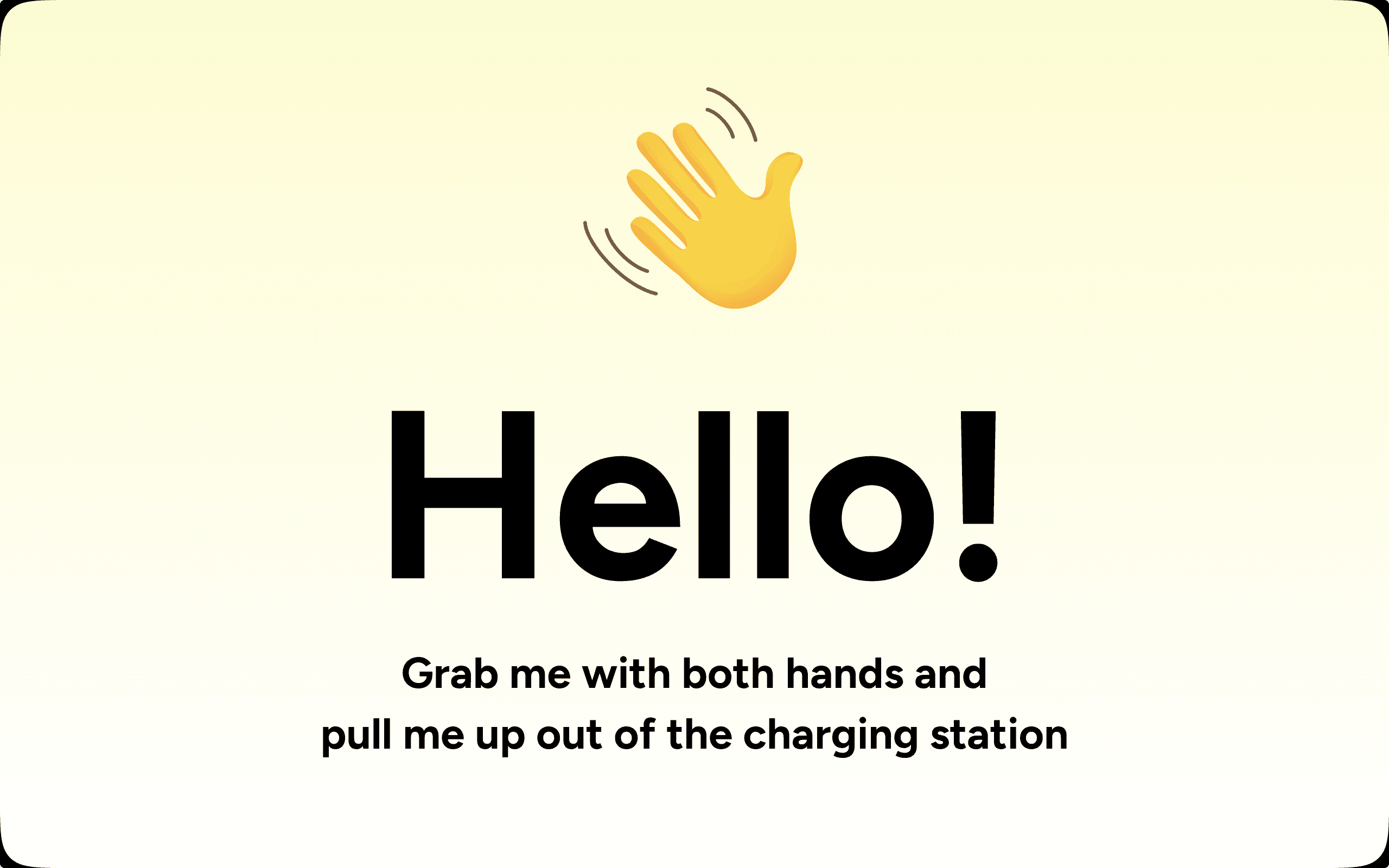
Waiting for the customer to grab the snap cart
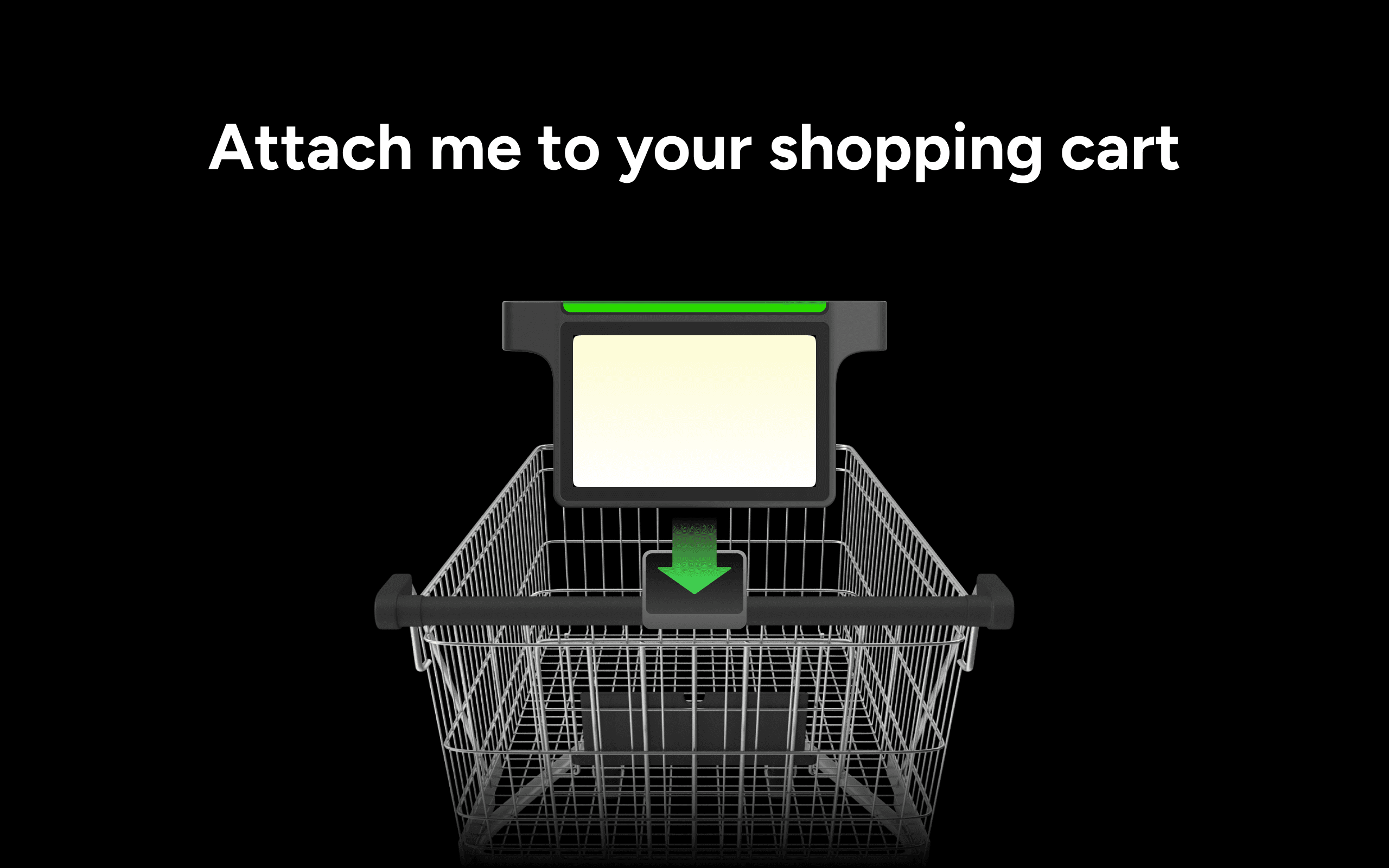
Waiting for the customer to attach the snap cart
For fixed tablets: In contrast, some retailers may use smart carts with fixed/embedded tablets (that is, shopping carts that have a built-in tablet that cannot be removed). In these cases, the tablet is permanently fixed to the cart and always available, eliminating the unlocking step entirely.
Product scanning
Once the tablet is active and mounted on the cart, scanning can start right away. The snap cart is equipped with an integrated scanner, which allows shoppers to scan product barcodes or QR codes as they add items to their cart. This interaction is seamless and intuitive, with products instantly appearing in a digital shopping cart displayed on the screen.
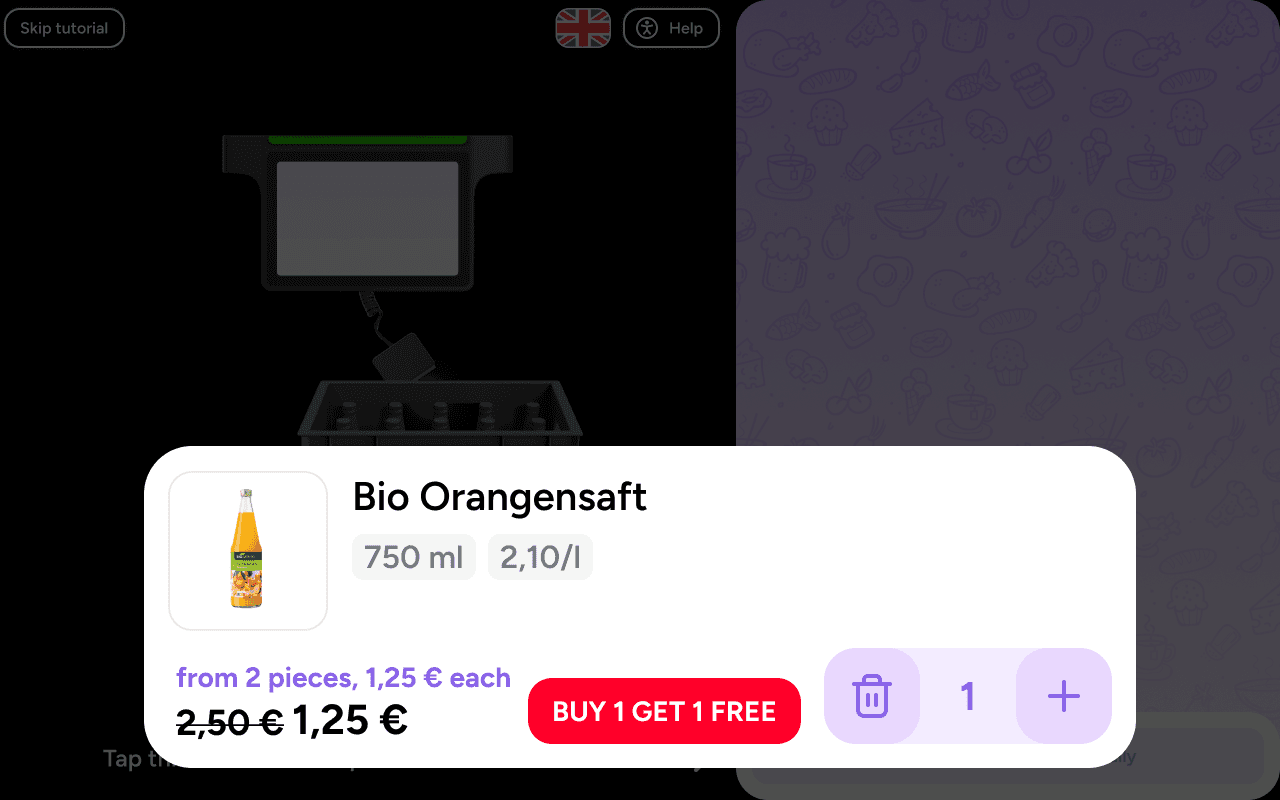
Once the shopper scans a product, the snap cart app will show it in on the screen and the shopper can place the item inside the cart after that:
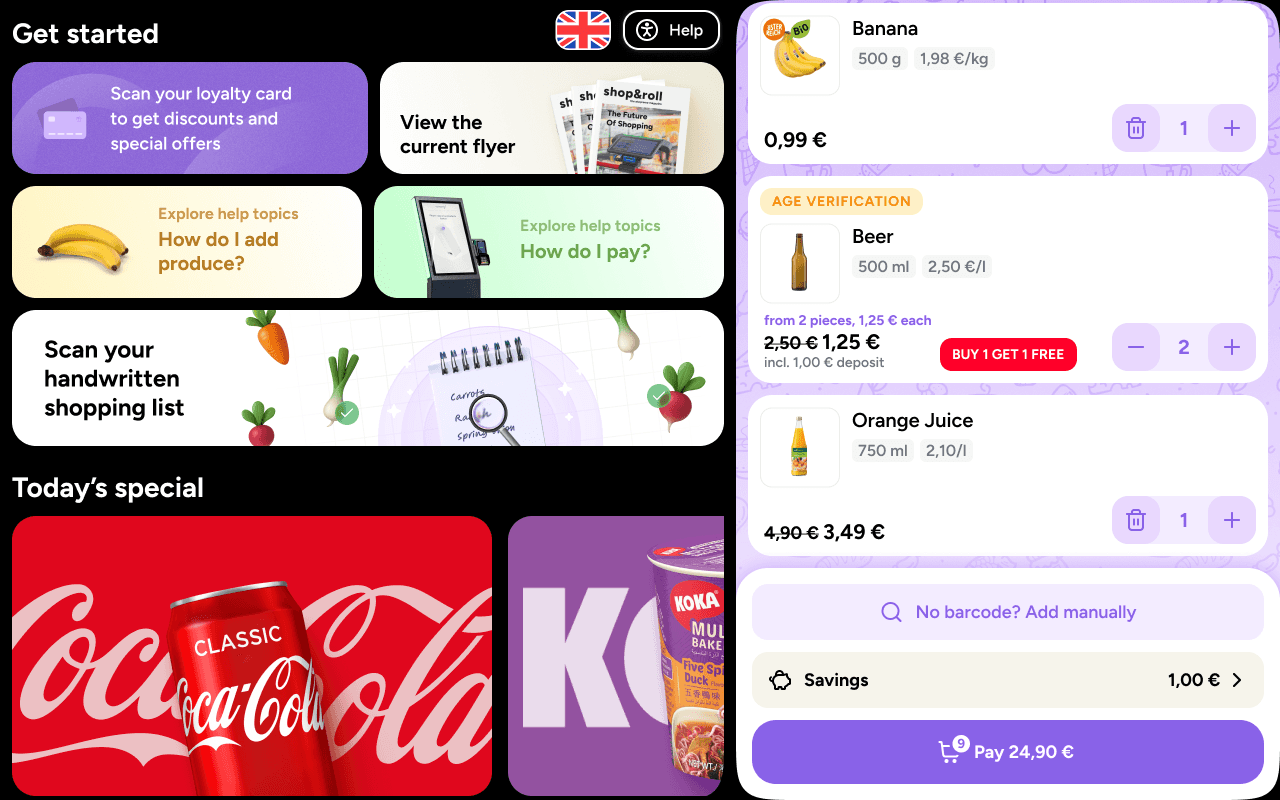
After the onboarding tutorial and scanning more products, the cart will show all the scanned products on the right side, while also display other available functionality and retail media on the left side (this requires backend compatibility).
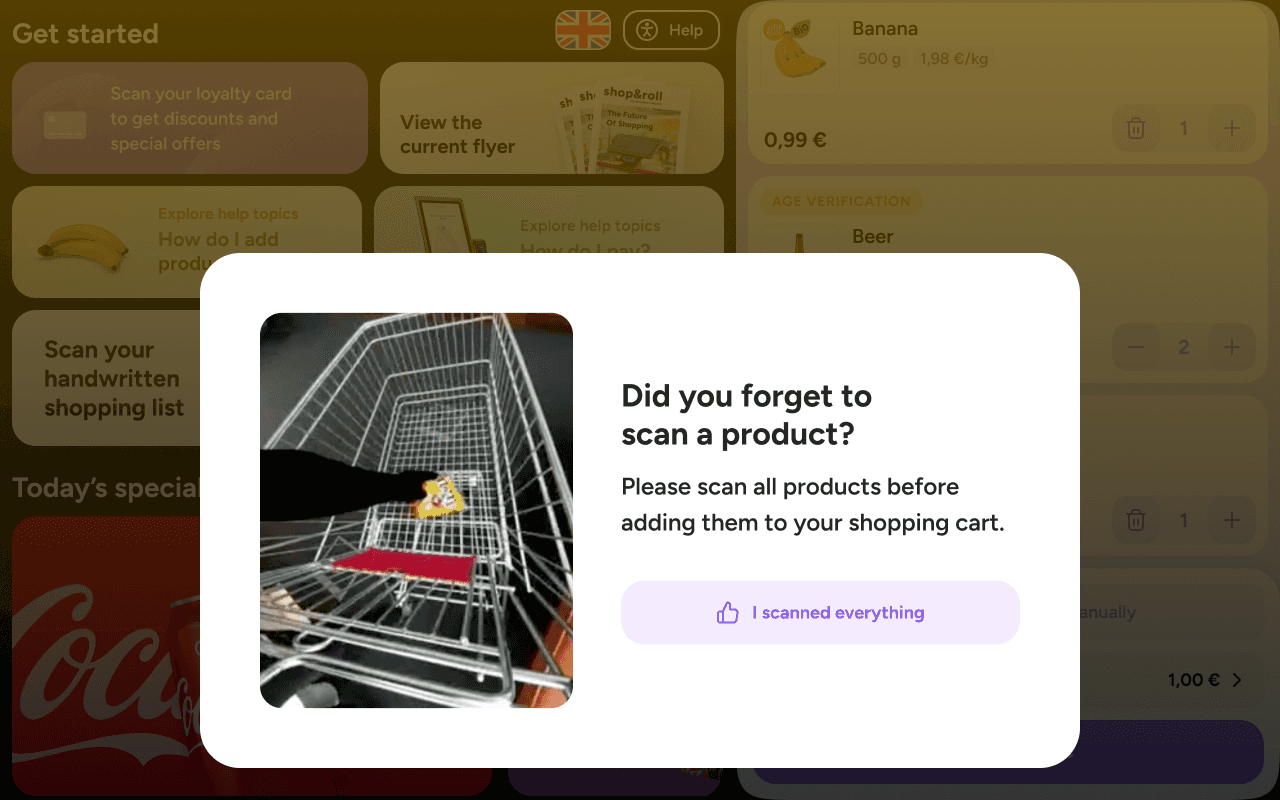
Thanks to the hardware cameras with built-in AI-powered loss prevention measures, the app can identify when a customer places the item in the cart without scanning it — this is configurable according to the retailer's preferences and needs. If this occurs, a pop-up alert will be displayed to the shopper:
For larger or awkwardly-shaped products, the scanner may be detachable to be able to reach the barcode area. Depending on the snap cart hardware device model, this scanner could be connected via cable or Bluetooth, offering flexibility in how shoppers interact with the system. Regardless of the connection method, scanned items can be added to the cart, and shoppers can view and manage their list at any point during the shopping trip. It is possible to change product quantities or remove them from the digital cart if they are returned to a shelf.
Payment options
When shoppers are ready to check out, the snap cart provides several payment methods. The most common method involves generating a QR code on the tablet screen, which the shopper scans at a designated payment kiosk or checkout counter. There, a store employee can complete the transaction using cash or a card at a payment terminal.
NFC Payment
For hardware equipped with more advanced payment integration, shoppers may also be able to pay directly at the cart using NFC (near-field communication). In this case, the shopper taps a supported card or mobile wallet on the tablet to complete the payment instantly. The chosen payment options depend on the store’s backend configuration and the tablet’s hardware capabilities.
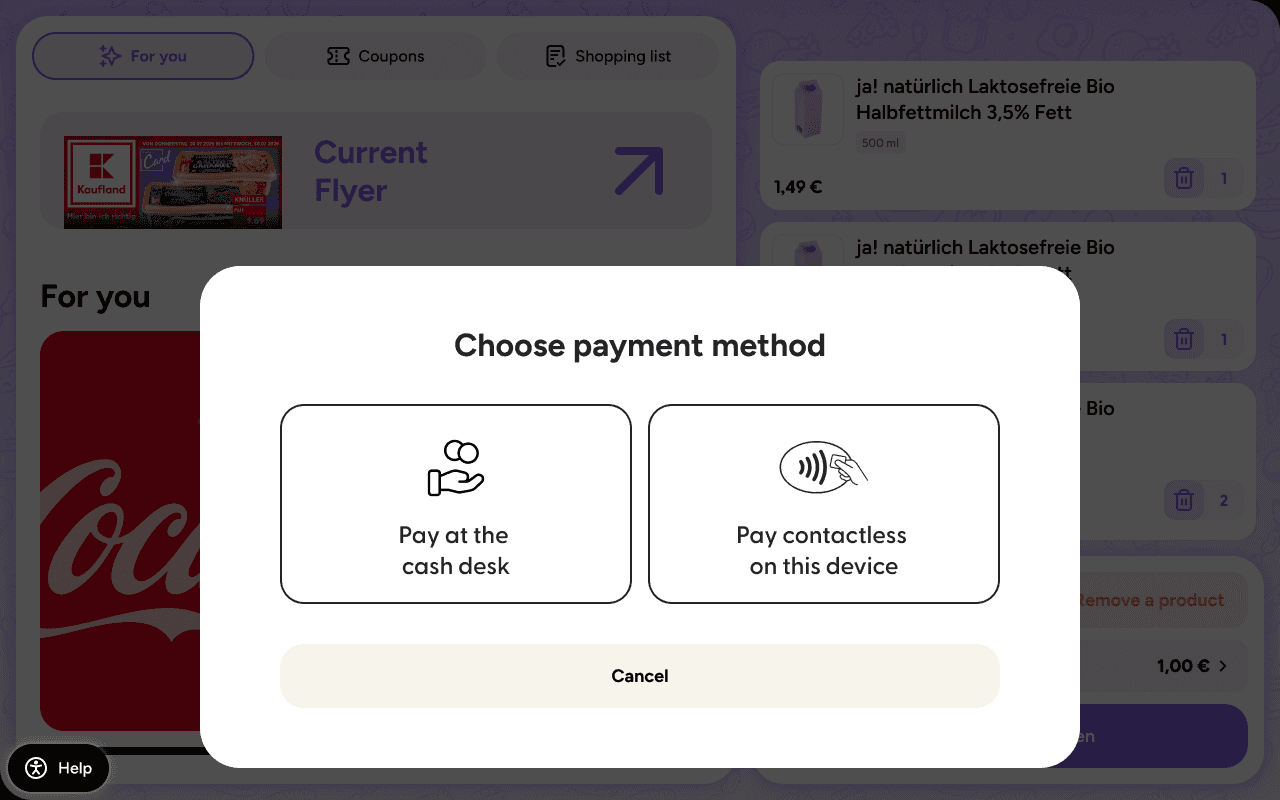
Payment options bottom sheet
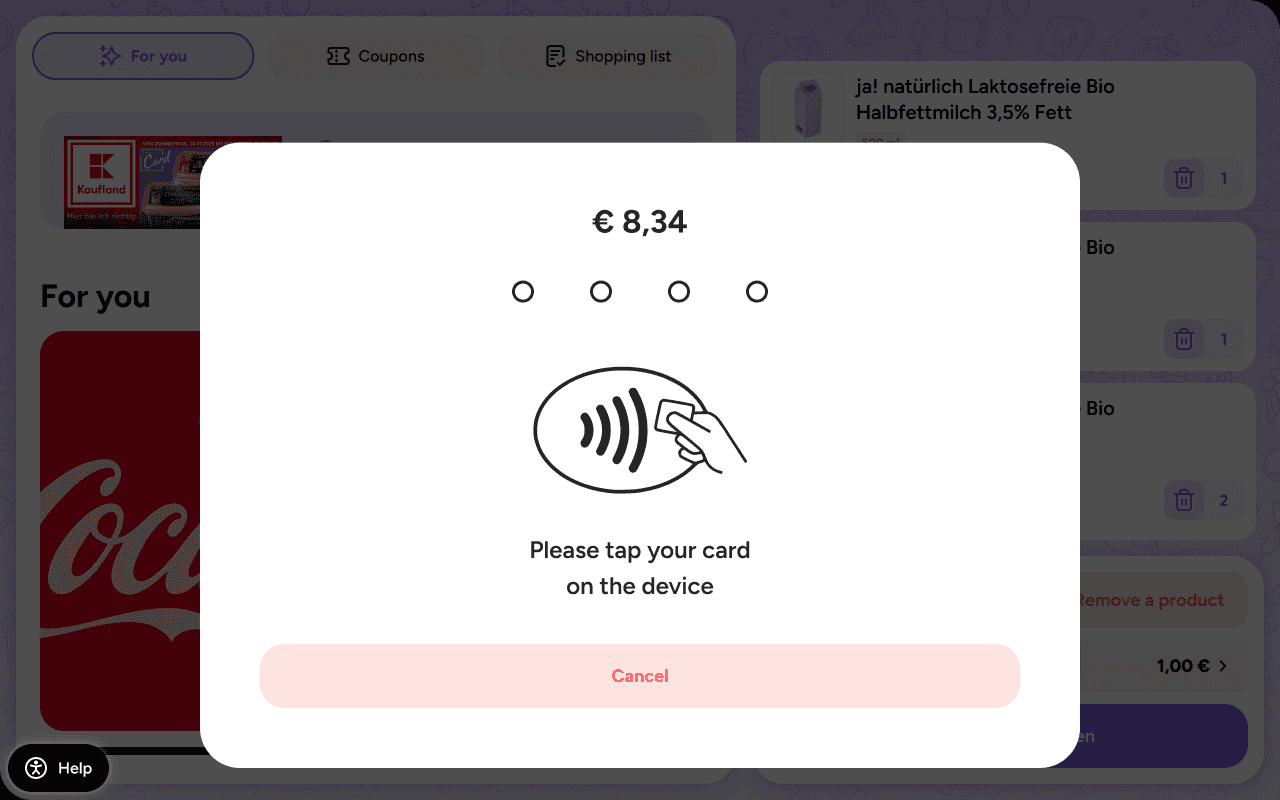
NFC-payment bottom sheet
Payment at the cash register
If the hardware does not support NFC payment or a PSP (Payment Service Provider) has not been implemented yet, payments can still be allowed at the third-party (“traditional”) cash register in the store.
In this case, the snap cart app will show a Payment QR code to transfer the scanned products to the cash register, and the shopper can pay as usual, either by cash or using a payment terminal:
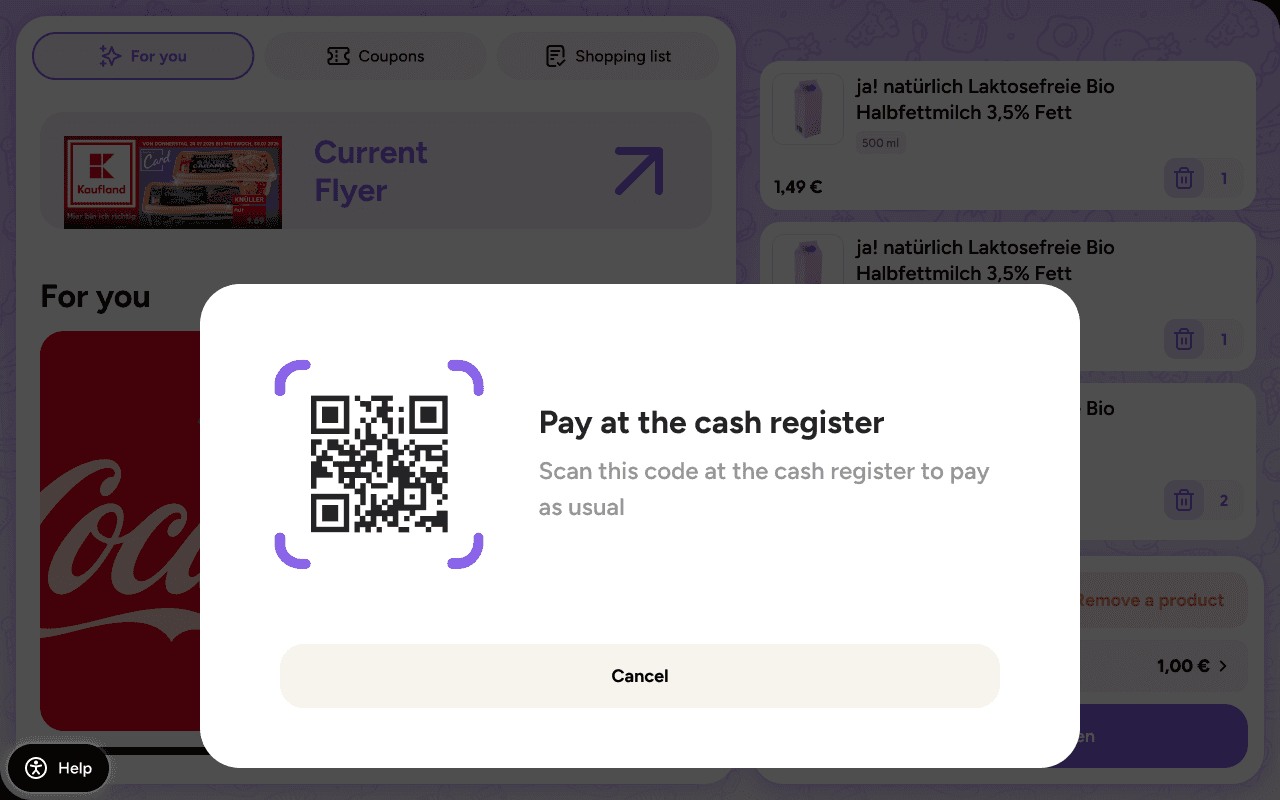
Cash register payment QR code
Since the payment at the cash register is a process handled by a third-party system, the shopreme app on the snap cart shows a locked screen while the payment is processed by the cash register. This prevents any unwanted behavior or modifications that are not in sync with the cash register. This screen is only exited after confirming a payment or canceling it:
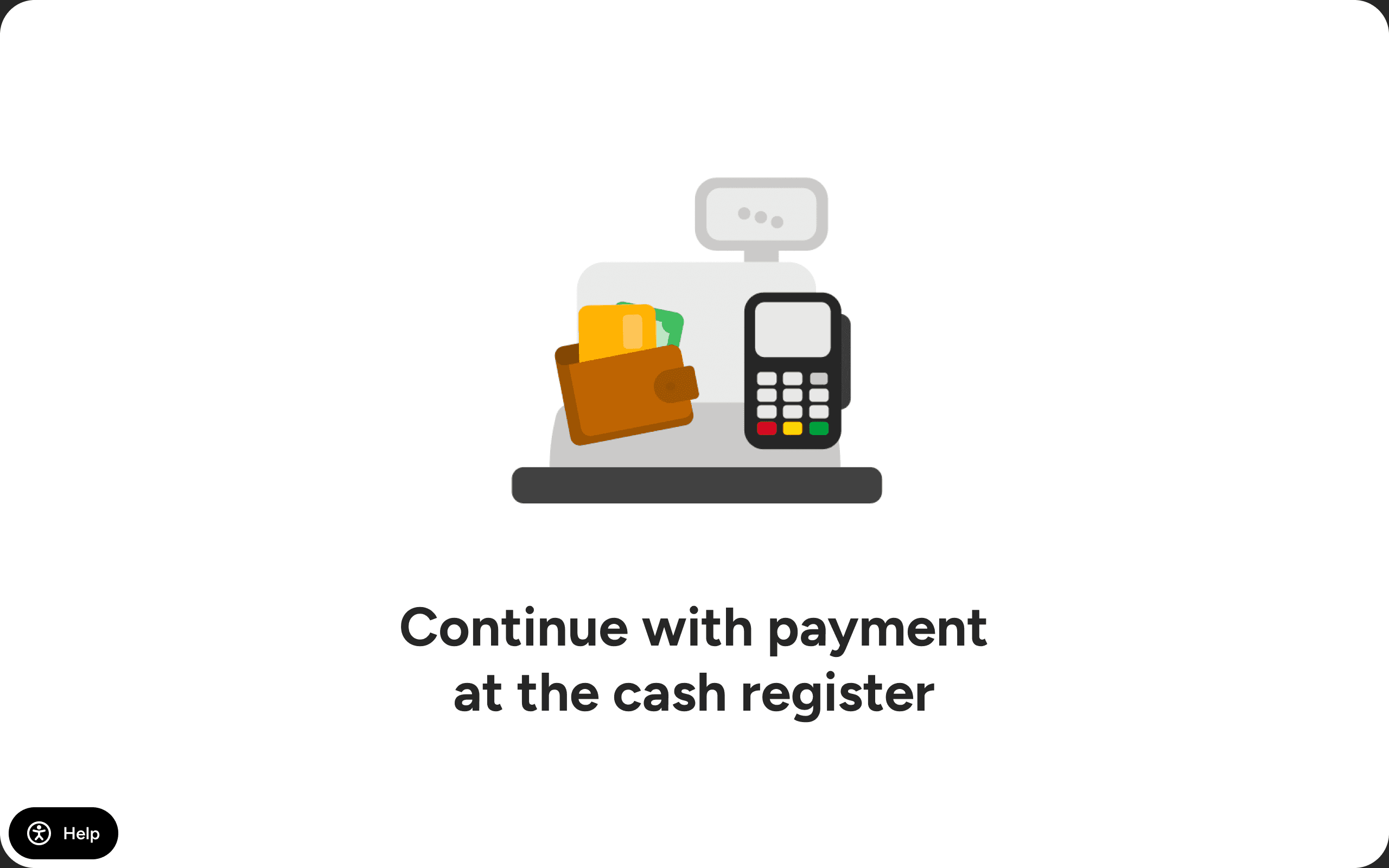
Returning the snap cart
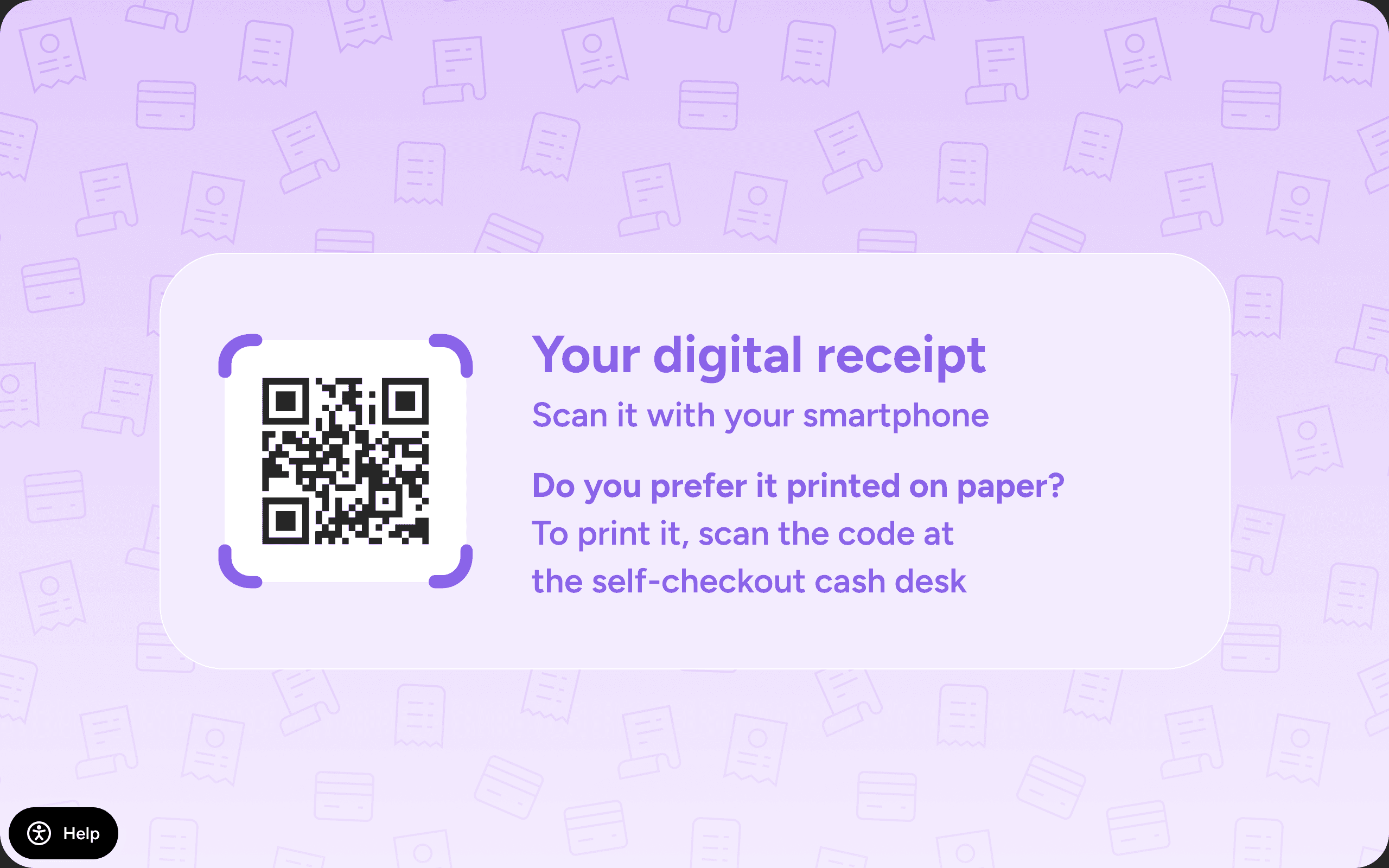
After a successful payment, the tablet displays a message instructing the shopper to return the device to the charging cradle, an option to leave feedback, and if the digital receipt feature is enabled: a QR code to get a copy of the receipt in PDF format.
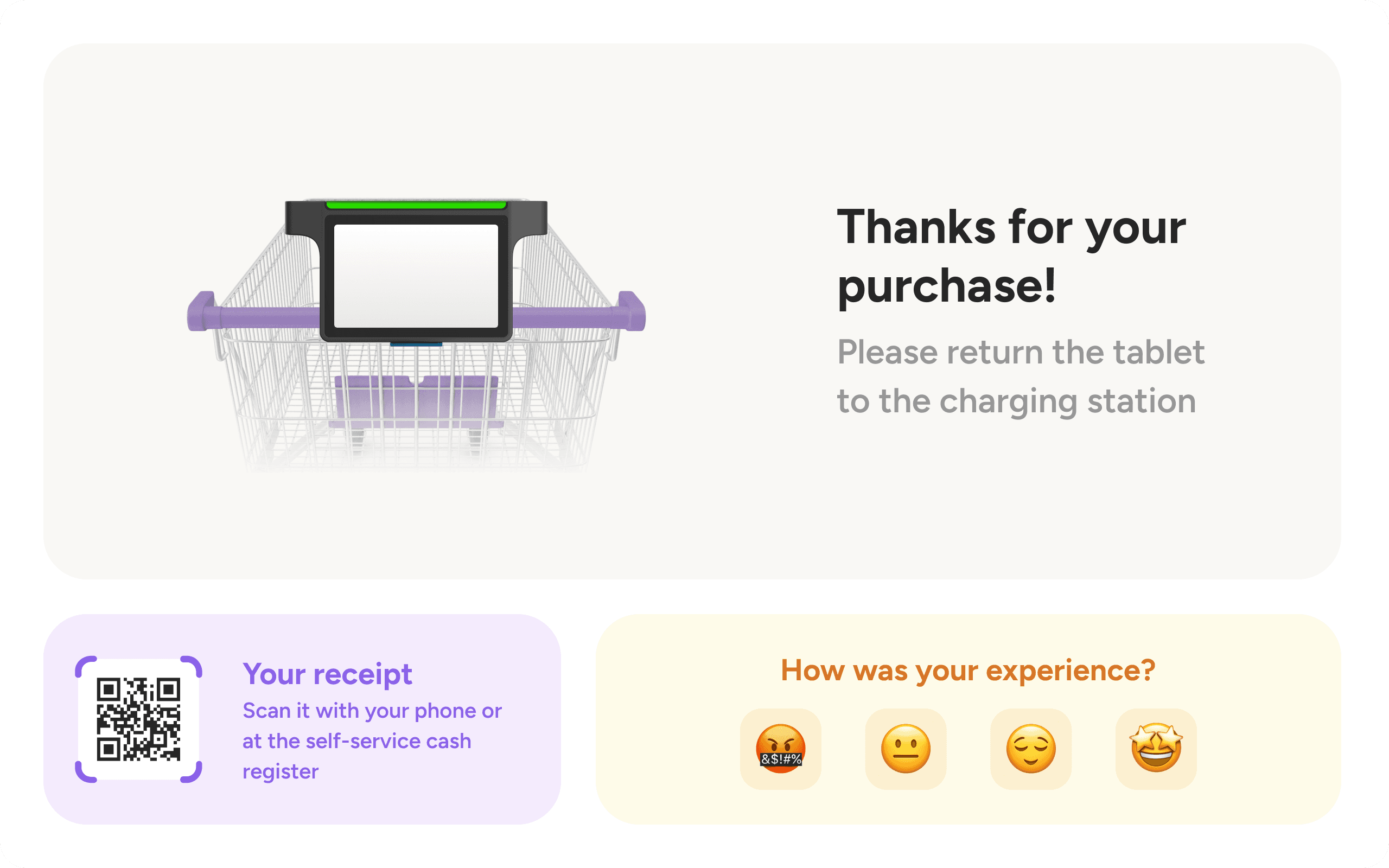
Upon docking, the device automatically locks and begins charging, ready for the next customer.
For carts with embedded tablets, there is no return process. Once payment is completed, the shopper receives a digital copy of the payment receipt and is asked to return the cart to the designated area within the store.
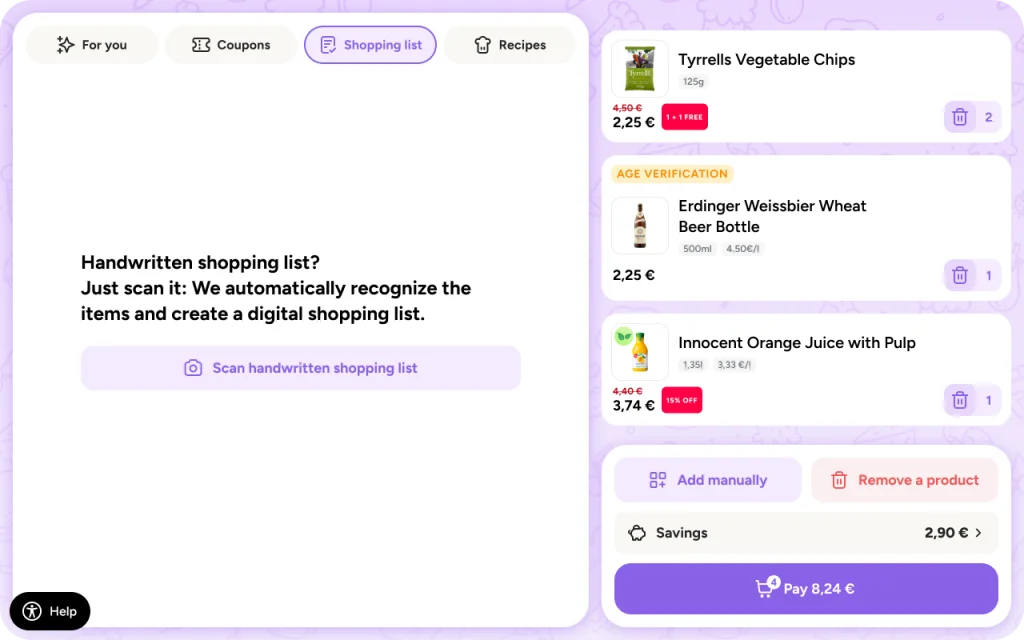
Shopping list scanning
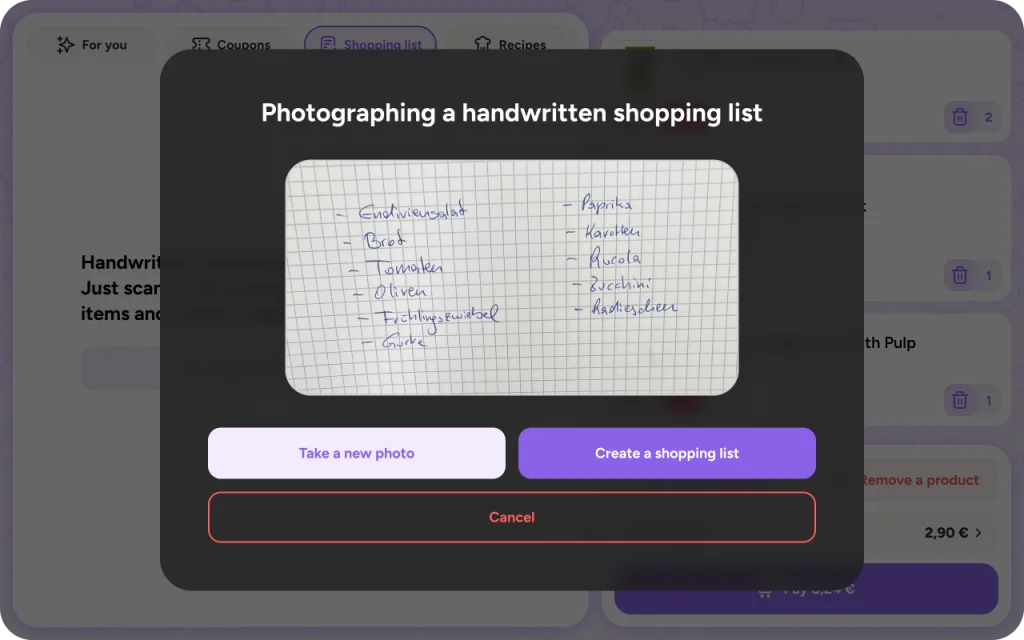
An optional but powerful feature available on tablets with a working camera is shopping list scanning. This allows customers to take a photo of a handwritten or printed list at the start of their visit. The app then uses OCR (optical character recognition) and AI to convert the image into a digital shopping list.
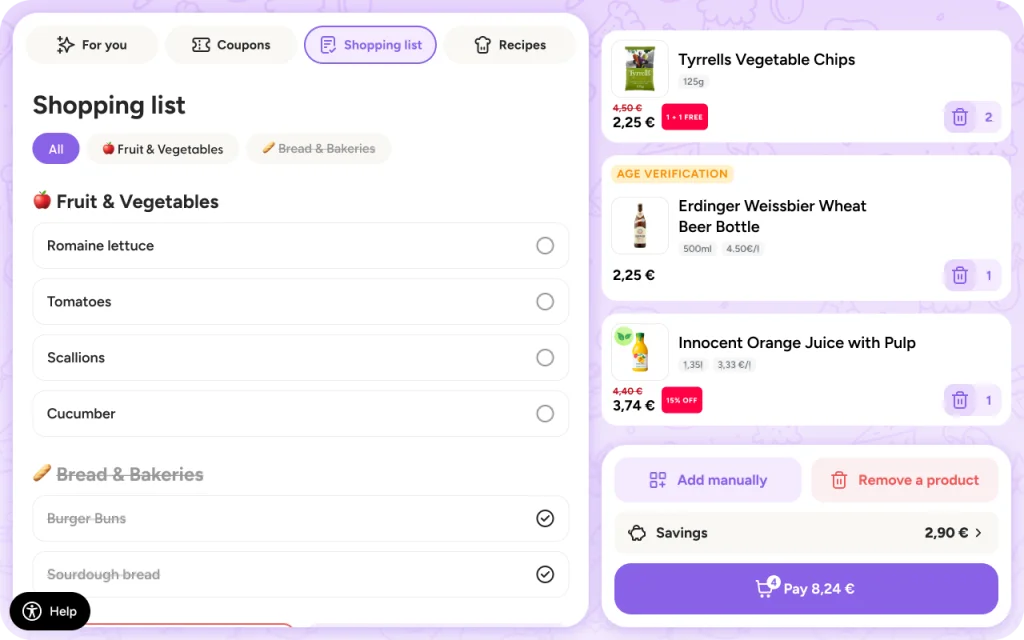
As the customer shops and scans items, the app automatically checks off the matching products. This enhances the shopping experience by helping users stay focused, avoid forgetting items, and ensure everything they picked up was actually scanned.
Other main features
Loss prevention
To help retailers reduce shrinkage and ensure compliance, the snap cart supports several loss prevention mechanisms. One of these is the spot check feature, which can be triggered based on specific criteria set in the shopreme backend. When triggered, a staff member must verify the contents of the cart before payment can proceed. Additionally, if the tablet includes a camera, it can use computer vision and AI algorithms to detect products that have been physically placed in the cart but not scanned.
More details can be found in the dedicated article: “snap cart: Loss prevention”.
Recommendations and retail media
When the snap cart is not in active use—either docked in a cradle or idle during shopping—it can display retail media content. This includes product recommendations, promotions, and ads, which are shown in dedicated areas of the user interface.
You can read more details about how retail media is implemented on the snap cart, in this article.
