In-store processes
User journeys in Scan & Pay
Overview
Once shoppers have scanned all the products they wish to purchase, they can start the payment and check-out process. Depending on the situation, different routes are available, which will be explained in the following sections.
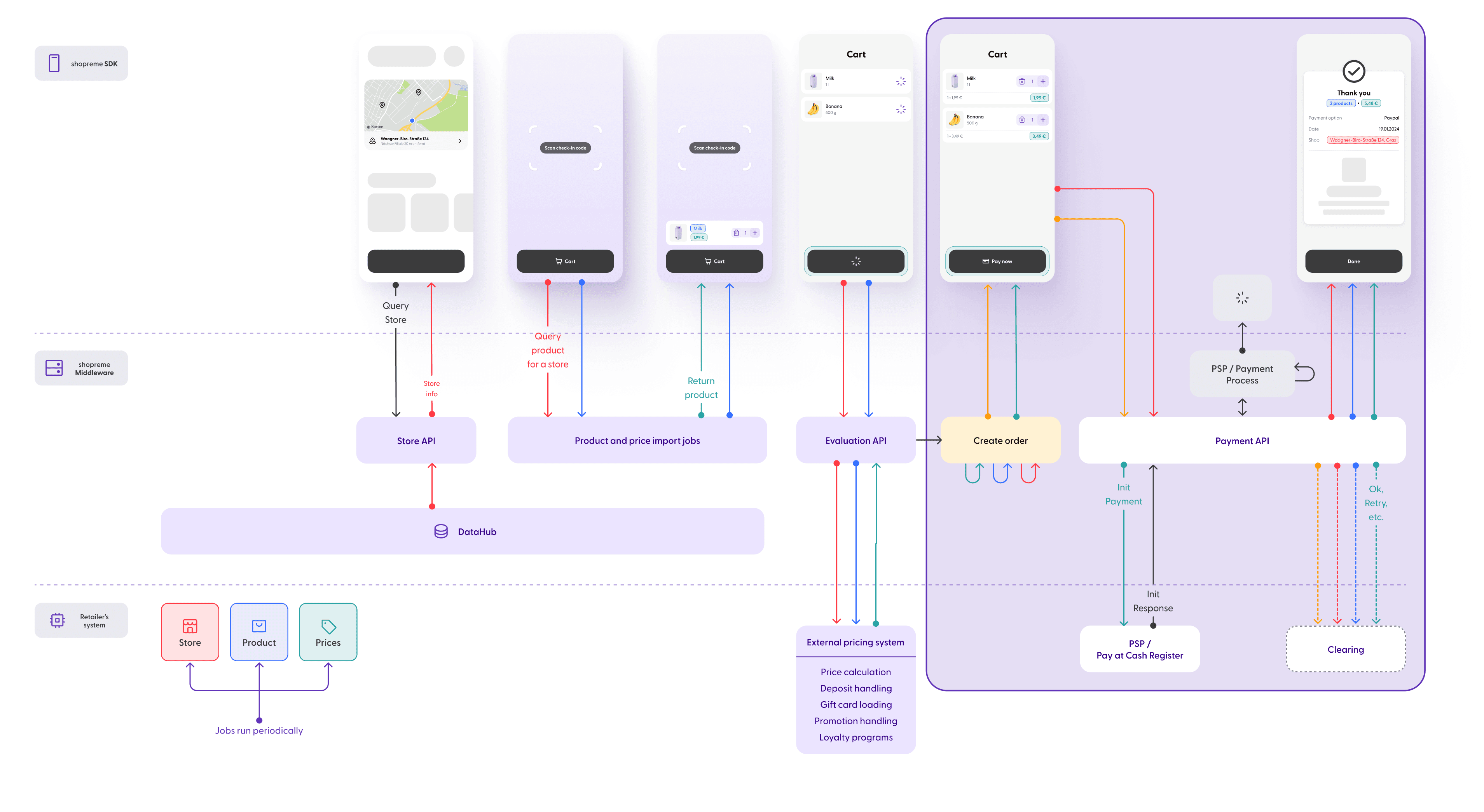
This diagram represents where the payment flow takes place in the Scan & Pay journey:
Happy path
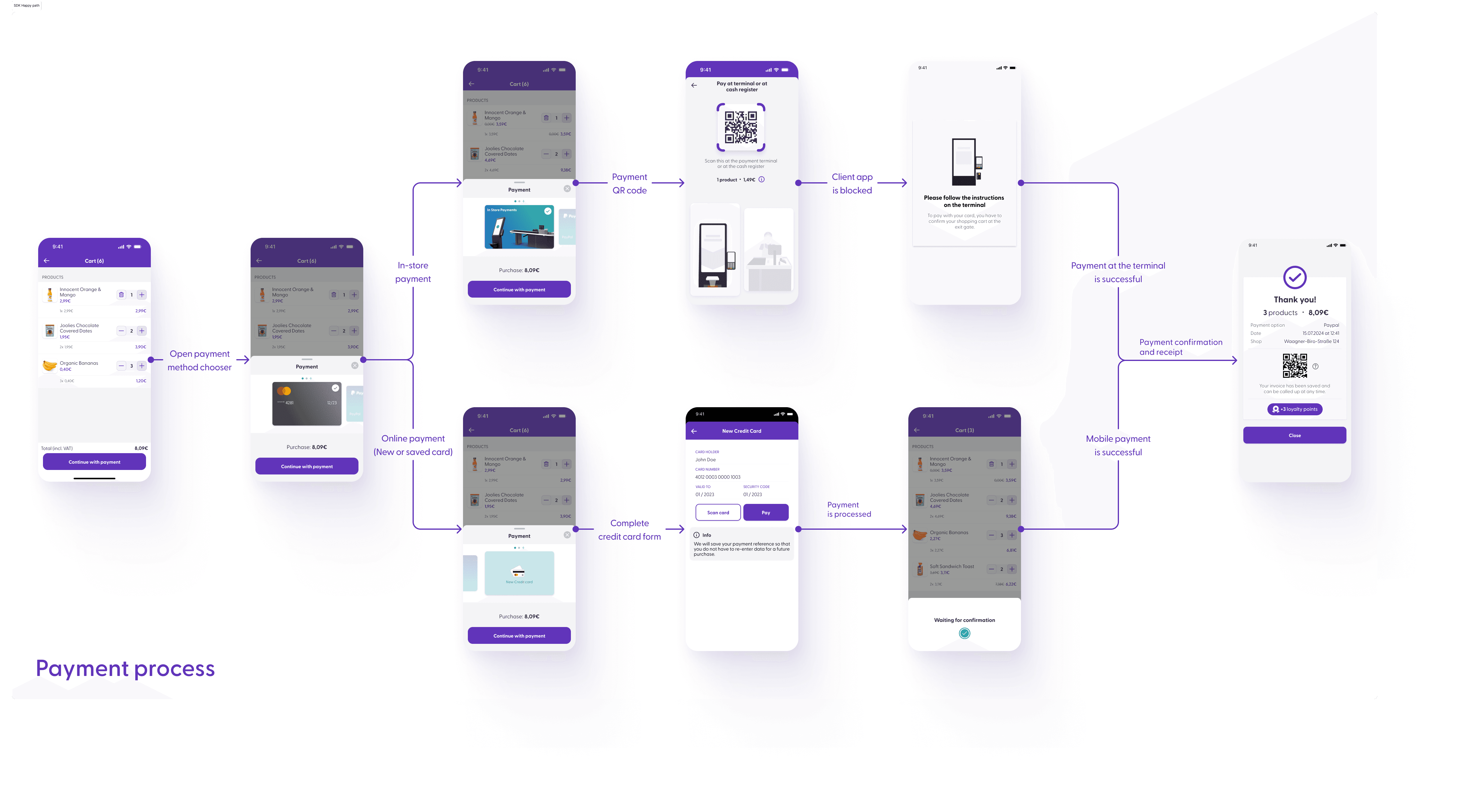
This represents the most straightforward user journey for completing a payment without employee checks or check-out codes. Depending on the store settings, we can divide this journey into two paths:
In-store payment (top): When opening the payment options tab, the shopper can choose the “In-store payment” option, if available. This will generate a QR code to be scanned at a cash register or shopreme POS terminal. When the payment is confirmed, the shopper will see a “Thank you” screen on the app. They will receive a digital receipt when paying at a shopreme POS, but they can also receive a paper-based receipt if they pay at the traditional cash desk.
Online payment (bottom): When opening the payment options, shoppers can choose an online payment method, if available. Online payments are processed on the mobile app, through the mobile payment provider. Once the payment is processed, the shopper will see a “Thank you” screen and receive a digital receipt, in the app.
Spot check journey
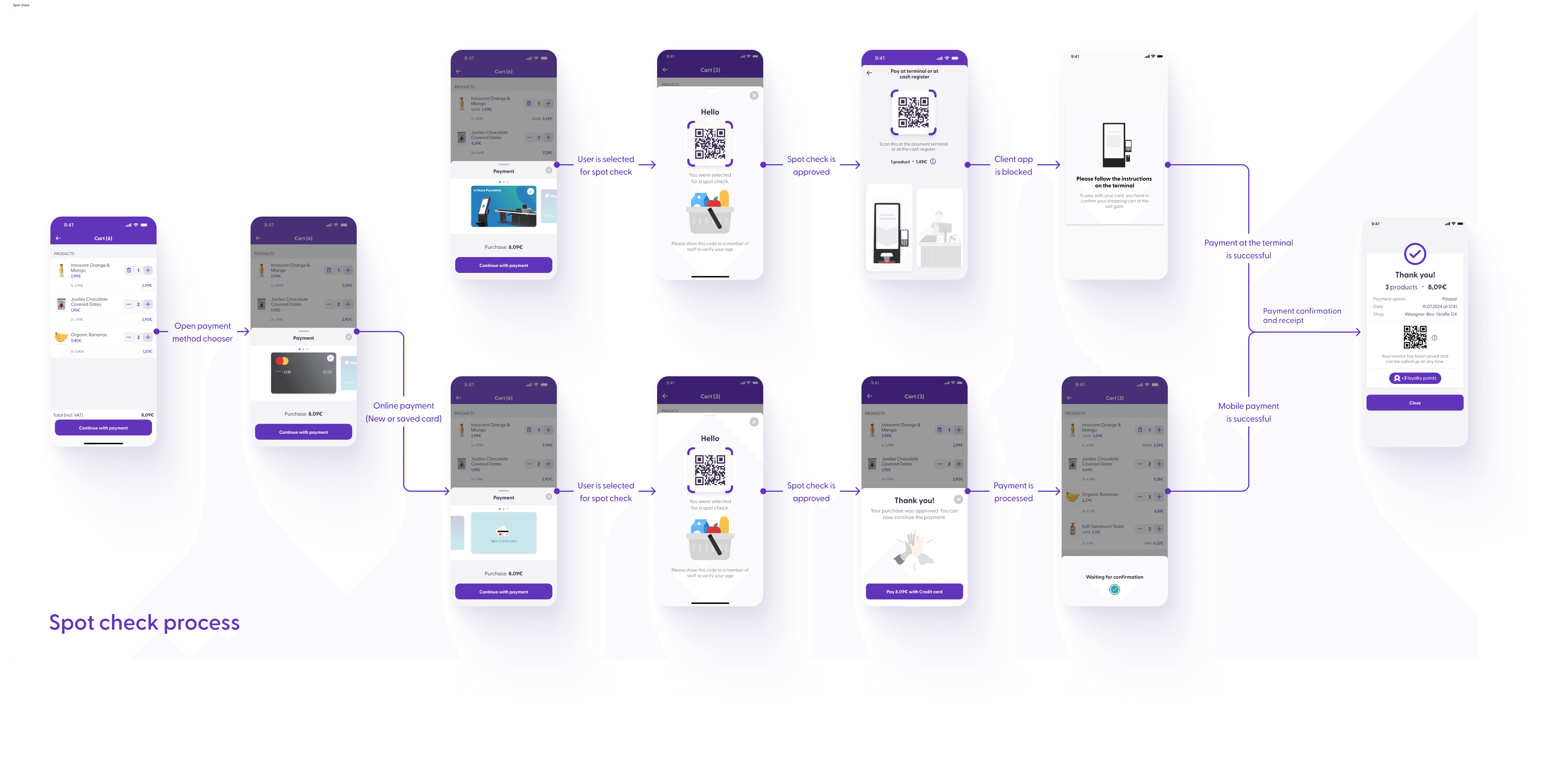
This path follows the same steps as the Happy Path, except that the shopper was selected for a Spot Check based on specific parameters (e.g., factoring in the configured store risk and purchase history of the shopper).
Shoppers can be chosen for a spot check before their payment has been processed. The employee in charge of the checkout area will receive a notification to verify the shopper’s purchase. The shopper will see a screen on the app informing them about the verification process and displaying the barcode they should show to the employee. The employee will then scan this barcode to start the checking process, i.e., whether all the items in the shopper’s shopping cart were scanned correctly. You can read more about this process in the Supervisor app guide.
Once the verification is complete, the shopper will see the “Thank you” screen and will be able to complete the payment and check out from the store. If the purchase is marked as Not OK during the verification, and the payment has not been completed, the shopper will be sent back to their basket view (first screen to the left in the flow) to edit the items before trying again.
Age verification
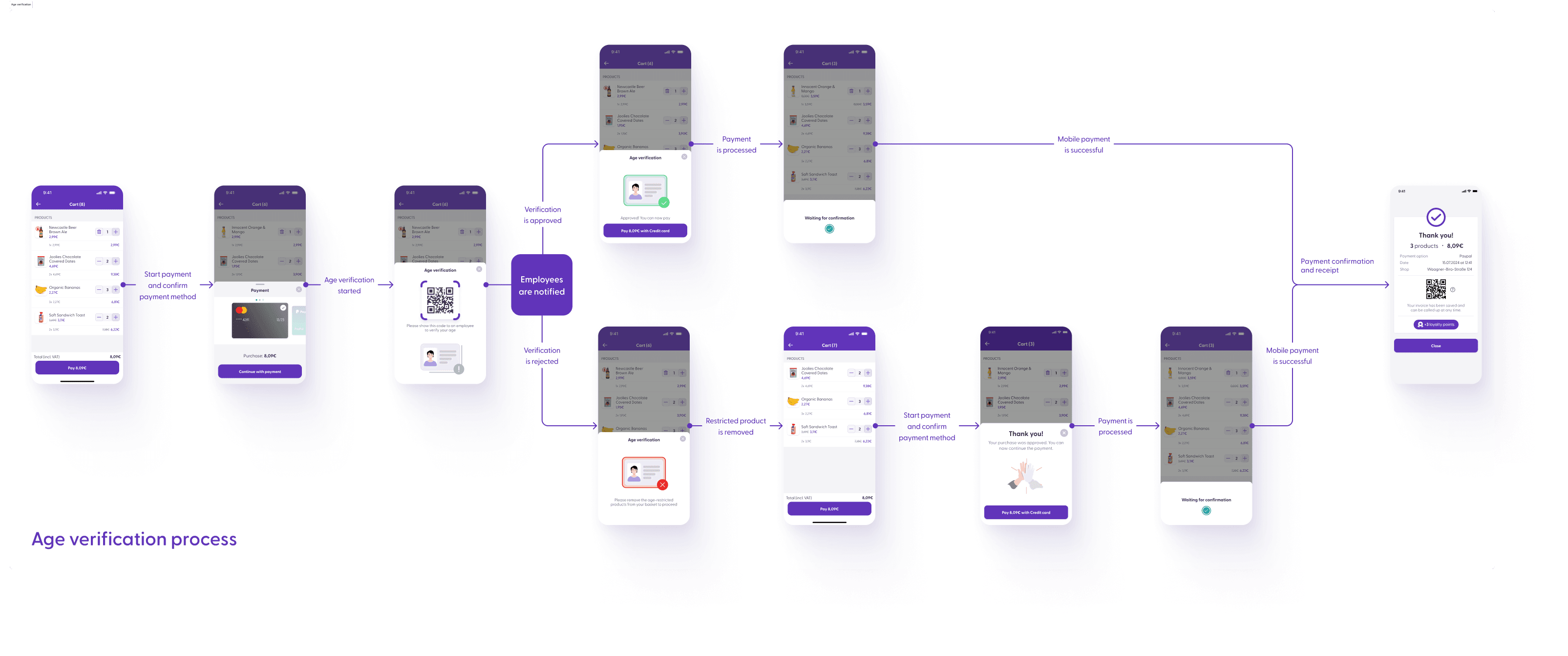
An age-verification process is required when shoppers have an age-restricted product in their shopping cart, such as alcoholic drinks or tobacco. Age verification is part of the payment process, and it is triggered when a shopper selects the payment method they want to use to complete their purchase.
Please note that in previous versions of the ShopremeCore SDK (<1.9.0), the Age Verification is triggered before the shopper selects a payment method.
The verification process requires interaction with an employee who scans a QR code shown on the shopper’s phone. The employee will then see which products are age-restricted and what the minimum age of the shopper has to be. If the employee approves, the shopper can continue to pay for their purchase. The employee will use their Supervisor application to complete this task, and the shopper’s screen will be updated accordingly: a positive verification will allow the shopper to tap “Pay” and process the payment, and a negative verification will inform the shopper that they should remove the age-restricted product from their cart to continue to payment. For more information about the Supervisor app, please visit our employee guides which you can find here.
It is worth mentioning that the age-verification flow is only triggered by shopreme-managed payment methods, such as online payments (i.e., credit card, PayPal, etc.) and payments at shopreme POS systems (vector or matrix). Shoppers who are required to pay at a physical cash register will be age-verified offline by an employee at that location.
Spot check + age verification
This flow can occur when, for instance, a shopper buys an age-restricted product (e.g., beer) and their purchase is selected for a random spot check.
The key information in this situation is that the age verification process comes first, and then the spot check will be requested. The payment processing will be unlocked after a positive age verification and a positive cart review.
The process at the physical cash register is unchanged – the employee approves the shopper’s age as usual. Remember that a spot check (which requires the Supervisor app) can still occur at the physical cash register. This behavior is subject to customizations, depending on the specific retailer’s requirements.
